For most traders the best free stock screener in 2026 is ChartingLens: the free plan screens US stocks plus 10 international markets with fundamental, momentum and technical filters, and every match opens on a full interactive chart next to your watchlist. Finviz is the best free choice for pure filter-based screening if delayed data is fine. Here is the short version of the ranking below.
Best free screener overall: ChartingLens (top 10 matches per scan on Free, every match on Premium at $14.99/mo).
Best for deep filters on delayed data: Finviz.
Best for fundamental investors: Stock Rover.
Best for community screen ideas: TradingView.
Best free alerts in a broker app: Webull.
Why Screeners, Watchlists & Alerts Matter
There are roughly 6,000 stocks listed on U.S. exchanges alone. Add in crypto, ETFs, and international markets, and the universe of tradeable instruments runs into the tens of thousands. No trader can monitor all of them manually. That is exactly why stock screeners, watchlists, and alert systems exist: they act as your filter, your shortlist, and your notification layer so you never miss the setups that matter to your strategy.
A stock screener filters the entire market down to a manageable list of candidates. It lets you define criteria like price range, volume, market cap, technical indicator readings, or fundamental metrics, and instantly returns every stock that matches. Without a screener, you are either guessing which stocks to look at or relying on tips from social media, neither of which is a reliable trading process.
A watchlist is where those screened candidates land. It is your curated short list of stocks you are actively tracking, complete with live price updates, percentage changes, and at-a-glance data that tells you whether a setup is developing or has already played out. A well-organized watchlist is the operational center of any active trader's workflow. If you want a structured approach to building one, our guide on how to build a stock watchlist covers the process step by step.
A stock alert system makes sure you do not have to stare at your watchlist all day. Price alerts notify you when a stock hits a specific level. Smarter alert systems, like AI-powered signals, go further by automatically flagging high-probability setups across thousands of stocks before you even know to look. Together, these three tools form the backbone of efficient, disciplined trading.
In this guide, we rank and review the seven best free stock screener, watchlist, and alert platforms available in 2026. We tested each one hands-on, and we will tell you exactly what you get for free, where the paywalls kick in, and which platform delivers the most value without charging you a cent.
What to Look for in a Stock Screener
Not every screener is built the same. Before you commit to a platform, here are the criteria that separate genuinely useful free screeners from ones that look good on the surface but frustrate you in practice. For a deeper walkthrough of these criteria, see our guide on how to use a stock screener effectively.
Filter Depth
Can you screen by technical indicators, fundamentals, volume, sector, and insider activity? Or are you limited to basic price and market cap filters?
Real-Time Data
Does the screener use live prices or delayed data? A 15-minute delay makes screening for intraday momentum plays useless.
Watchlist Integration
Can you move screened results directly into a watchlist? Or do you have to manually copy tickers into a separate tool?
Alert Capabilities
How many alerts can you set for free? Are they limited to price-only, or do you get volume, indicator, and AI-driven alerts?
Unique Data Sources
Does the screener offer data most others do not, like insider trading activity, institutional holdings, or AI-generated signals?
Ease of Use
Can a new user build and run a screen within minutes? Complex screeners with steep learning curves may not be worth the time investment for most traders.
The best free stock screener should let you quickly narrow thousands of stocks down to a focused list of actionable candidates, and then seamlessly feed those candidates into a watchlist with alerts so you can act on them at the right time. Keep these criteria in mind as we walk through each platform below.
Quick Comparison Table
Here is how all seven platforms compare across the features that matter most for screening, watchlists, and alerts.
Scroll horizontally to see all columns →
Feature
ChartingLens
Finviz
Stock Rover
TradingView
Yahoo Finance
Webull
MarketWatch
Free Screener
✓
✓
Limited
✓
✓
Basic
✓
Free Watchlist
✓ (Live)
Limited
✓
✓
✓
✓
✓
Price Alerts (Free)
✓
✗
✗
1 alert
Basic
✓
✓
AI-Powered Alerts
✓
✗
✗
✗
✗
✗
✗
Insider Trading Screener
✓
Limited
✗
✗
✗
✗
✗
Top Gainers/Losers
✓
✓
✗
✓
✓
✓
✓
Real-Time Data (Free)
✓
Delayed
Delayed
✓
Delayed
✓
Delayed
Technical Filters
Extensive + dual-timeframe
Extensive
Extensive
✓
Basic
Basic
Basic
Fundamental Filters
Extensive
Extensive
Extensive
✓
✓
Basic
Basic
No Ads (Free Tier)
✓
✗
✓
✗
✗
✓
✗
Paid Plan Starting Price
$14.99/mo
$39.50/mo
$7.99/mo
$14.95/mo
$24.99/mo
Free
$29.99/mo
In-Depth Reviews (7 Platforms Ranked)
1. ChartingLens
ChartingLensFree + $14.99/mo Premium
ChartingLens takes the top spot because it combines screening, watchlist, and alert functionality into a single platform, and does so with a level of AI integration and unique data that no other free tool matches. It is a well-established platform with a large active user base, built around the idea that traders should not have to switch between five different apps just to find, track, and act on opportunities — and its advanced feature set extends well beyond screening, including an institutional-grade strategy builder and an institutional-grade backtesting engine.
The stock screener runs server-side scans that return results in seconds. Fundamental filters cover sector, market cap, P/E, EPS growth, dividend yield, beta, P/B, ROE, debt/equity, margins, PEG, and volume. A dedicated set of momentum and small-cap filters — Float, Short Float %, relative volume (RVOL), Dollar Volume, Gap %, pre-market %, % change, and earnings-today — is built for day-trade and squeeze hunting, with one-click curated presets like "$3-10 High RVOL Gappers" and "Short Squeeze Candidates". Technical filters include MACD, RSI, Stochastic, ADX, moving-average crosses and 20/50/200 stacks, Bollinger Bands, 52-week high/low, volume surges, candlestick patterns, and a pullback-in-uptrend filter. A dual-timeframe mode lets you require a condition on two timeframes at once — MACD bullish on the daily and the weekly, for example — which is rare among screeners at any price. You can save entire filter setups as named, account-synced Screener Loadouts and re-run them in one click. To be clear about the free tier's limit: free accounts see the top 10 results per scan; Premium at $14.99/month unlocks unlimited results. Every result clicks straight through to a full interactive chart.
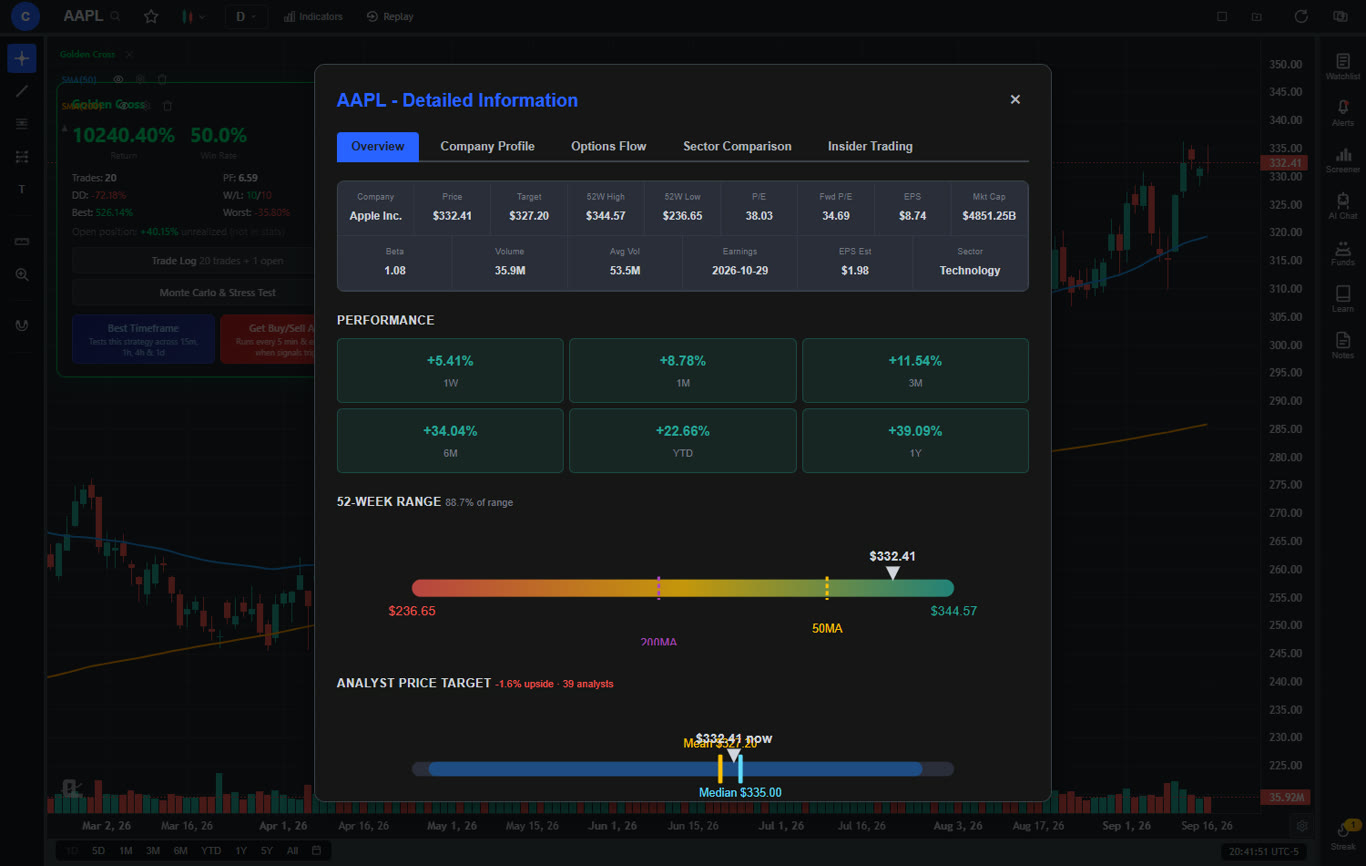
The free watchlist is one of the best available anywhere. It displays live prices, percentage changes, pre-market and post-market moves in sortable columns, plus earnings dates, analyst price targets, and a CL Score for every row. You can bulk-import symbols from a comma-separated list, and the free plan includes one watchlist of up to 40 symbols (Premium raises that to 10 watchlists with unlimited symbols). Premium users can even hand the watchlist to the AI assistant — ask "look at my Growth Watchlist and tell me which ticker is the best opportunity right now" or have it rank the list by any of 17 fundamentals.
ChartingLens also includes a built-in insider trading tracker that functions as a powerful screener: you can see when corporate executives, directors, and 10% shareholders are buying or selling their own company stock. This is data that most platforms either do not offer or lock behind expensive subscriptions. Insider buying, in particular, is one of the strongest non-technical signals available because insiders only buy when they genuinely believe the stock is undervalued. The same panel has a Politicians tab for congressional filings, which is how most people follow Nancy Pelosi's stock trades.
The top gainers and losers view acts as another real-time screener, showing you the biggest movers of the day so you can quickly identify momentum opportunities or catch stocks making unusual moves. Combined with the platform's 25 daily AI buy signals, which are generated from scans of over 2,000 stocks, ChartingLens effectively gives you a multi-layered screening system that works across technical, fundamental, and sentiment dimensions.
The AI buy signals also function as smart alerts. Instead of manually setting price targets for every stock, the AI proactively surfaces opportunities based on pattern recognition and machine learning. You also get a traditional price alert system where you set specific price levels — alerts are checked server-side every 5 minutes, so they fire even when your charts are closed.
The interface is clean, modern, and ad-free on every tier. You can be up and running with a watchlist and screening in under a minute after creating a free account — no credit card required. The Premium tier at $14.99 per month unlocks unlimited screener results, 10 watchlists, and deeper AI analysis, but the free version already delivers more screening and alerting capability than most paid platforms.
Pros
Server-side screener with fundamental, momentum, and technical filters
Dual-timeframe screening (e.g. daily + weekly MACD) — rare at any price
Saveable Screener Loadouts and one-click curated presets
Free watchlist with live prices, pre/post-market moves, and CL Score
Built-in insider trading screener (free)
25 daily AI buy signals from scans of 2,000+ stocks
Price alerts checked server-side every 5 minutes
No ads on any tier
Pine Script conversion — paste any Pine Script indicator and it becomes a live native indicator on your chart (Premium)
Stocks, ETFs, crypto, forex, metals, and index and commodity CFDs (US30, US500, NAS100, oil, gold) in one search bar
25 daily AI buy signals with a public, forward-tested track record and a trade plan (entry, stop, target) on every signal
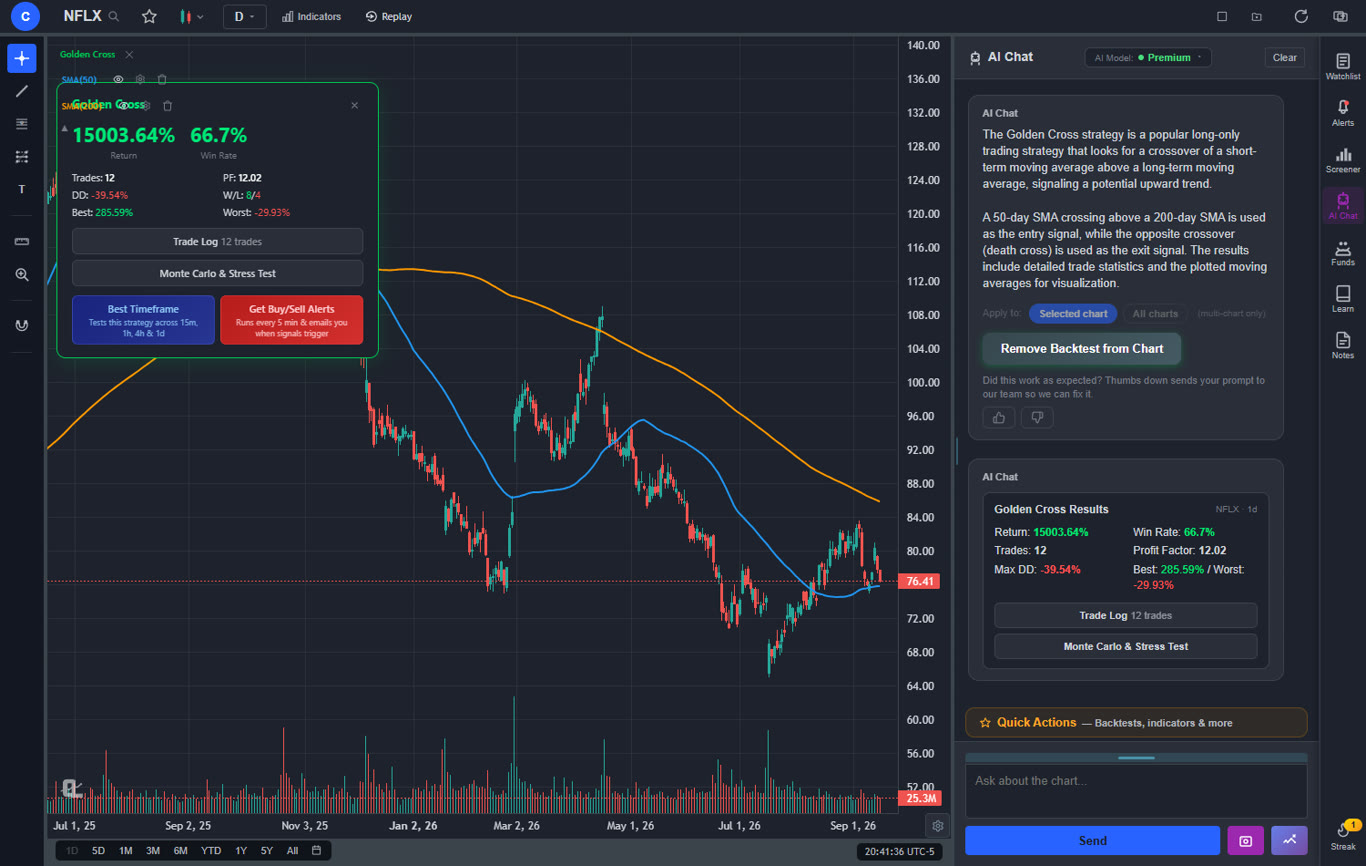
Backtests include a Monte Carlo stress test and intrabar exits, built from a plain-English strategy description
Free interactive courses drawn on real charts, plus a notes and journal panel
Cons
Free tier caps screener output at 10 results per scan
Free plan includes 1 watchlist of up to 40 symbols
No built-in brokerage for order execution
Best for: Traders who want a full filter-based screener, AI-powered screening, insider trading data, and a live watchlist in one ad-free platform without paying anything.
2. Finviz
FinvizFree (limited) + $39.50/mo Elite
Finviz (Financial Visualizations) has been one of the go-to stock screeners for years, and for good reason. Its screener page is one of the most comprehensive free filtering tools available online. You can filter stocks by dozens of fundamental criteria (P/E ratio, market cap, dividend yield, EPS growth), technical criteria (RSI, moving average signals, pattern recognition), and descriptive criteria (sector, industry, country, exchange). The visual heat map of the market is another standout feature that gives you an instant overview of how different sectors and stocks are performing.
The free version of Finviz provides access to the full screener with delayed data (roughly 15-20 minutes). You can view basic charts, filter by most criteria, and access insider trading data in a simplified format. However, the free tier includes ads on every page, and you cannot set price alerts, save custom screener presets, or access real-time quotes. The Elite plan at $39.50 per month (or an effective $24.96 per month billed annually) unlocks real-time data, advanced charts, backtesting, email alerts, and an ad-free experience.
Finviz excels as a pure screening tool. If your primary need is filtering the market by dozens of fundamental and technical criteria to generate a list of candidates, it is hard to beat. Where it falls short is in the watchlist and alert experience. The free tier does not offer meaningful watchlist functionality or any alert system, which means you will likely need a second tool to actually track and monitor the stocks you find.
Pros
Extremely comprehensive screener filters
Visual heat map of the entire market
Good mix of fundamental and technical criteria
Basic insider trading data on free tier
Cons
Free tier uses delayed data only
No free alerts of any kind
Minimal watchlist functionality on free tier
Heavy ads on the free plan
Elite plan is expensive at $39.50/mo
Best for: Traders who need deep fundamental and technical filtering and do not mind using a separate tool for watchlists and alerts.
3. Stock Rover
Stock RoverFree (basic) + from $7.99/mo
Stock Rover is a research-heavy platform designed primarily for fundamental investors and value-oriented traders. Its strength lies in deep financial data: you can screen stocks by over 650 financial metrics, including detailed profitability ratios, growth rates, valuation multiples, and debt analysis. For investors who pick stocks based on earnings quality, balance sheet strength, or dividend sustainability, Stock Rover provides a level of fundamental screening depth that few platforms can match.
The free tier gives you access to a limited screener, basic watchlists, and some portfolio tracking. However, the most powerful features, including the full set of 650+ metrics, real-time data, scoring and ranking systems, and the ability to save custom screeners, require a paid plan. Plans start at $7.99 per month for Essentials, with the most popular Premium Plus tier at $27.99 per month. The free tier uses delayed data and limits you to roughly 10 screening criteria at a time.
Stock Rover is not built for technical traders or day traders. Its charting tools are basic, it has no AI features, and its interface is dense with financial data that can overwhelm newcomers. There are no stock alerts on the free tier. But if you are a long-term investor who screens primarily on fundamentals, and you are willing to pay for the full experience, Stock Rover's data depth is impressive.
Pros
650+ fundamental screening metrics (on paid plans)
Deep financial data and research tools
Portfolio tracking and analysis
Affordable entry plan at $7.99/mo
Cons
Free tier is very limited
Delayed data on free plan
No alerts on free tier
No AI features, no insider trading data
Steep learning curve for new users
Best for: Fundamental investors who need deep financial screening and are willing to pay for the full data set.
4. TradingView
TradingViewFree (limited) + from $14.95/mo
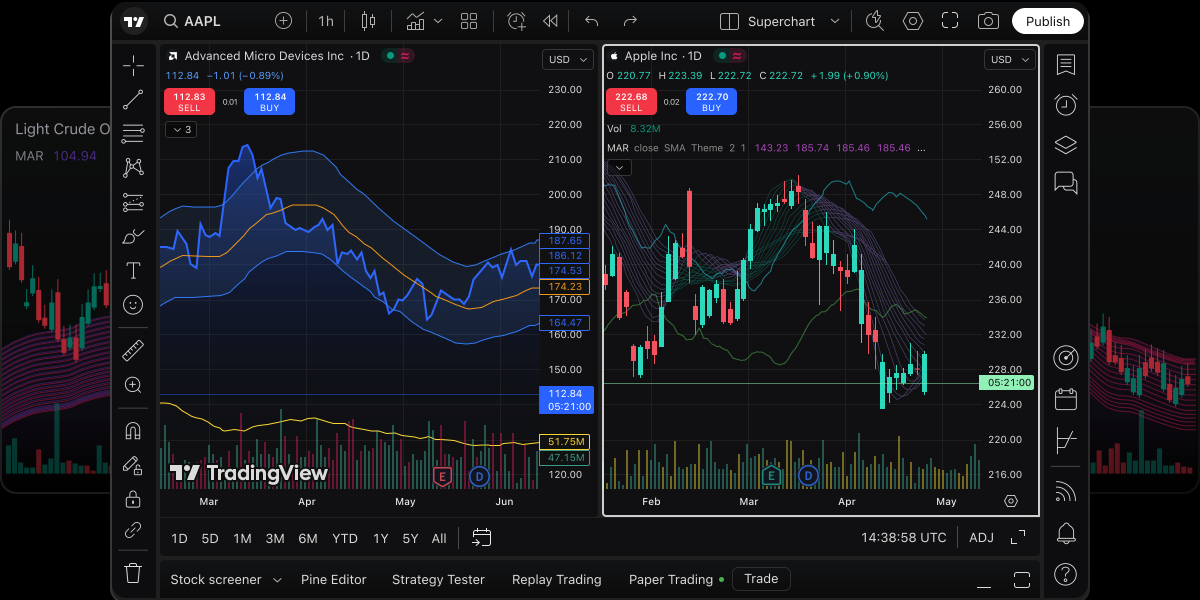
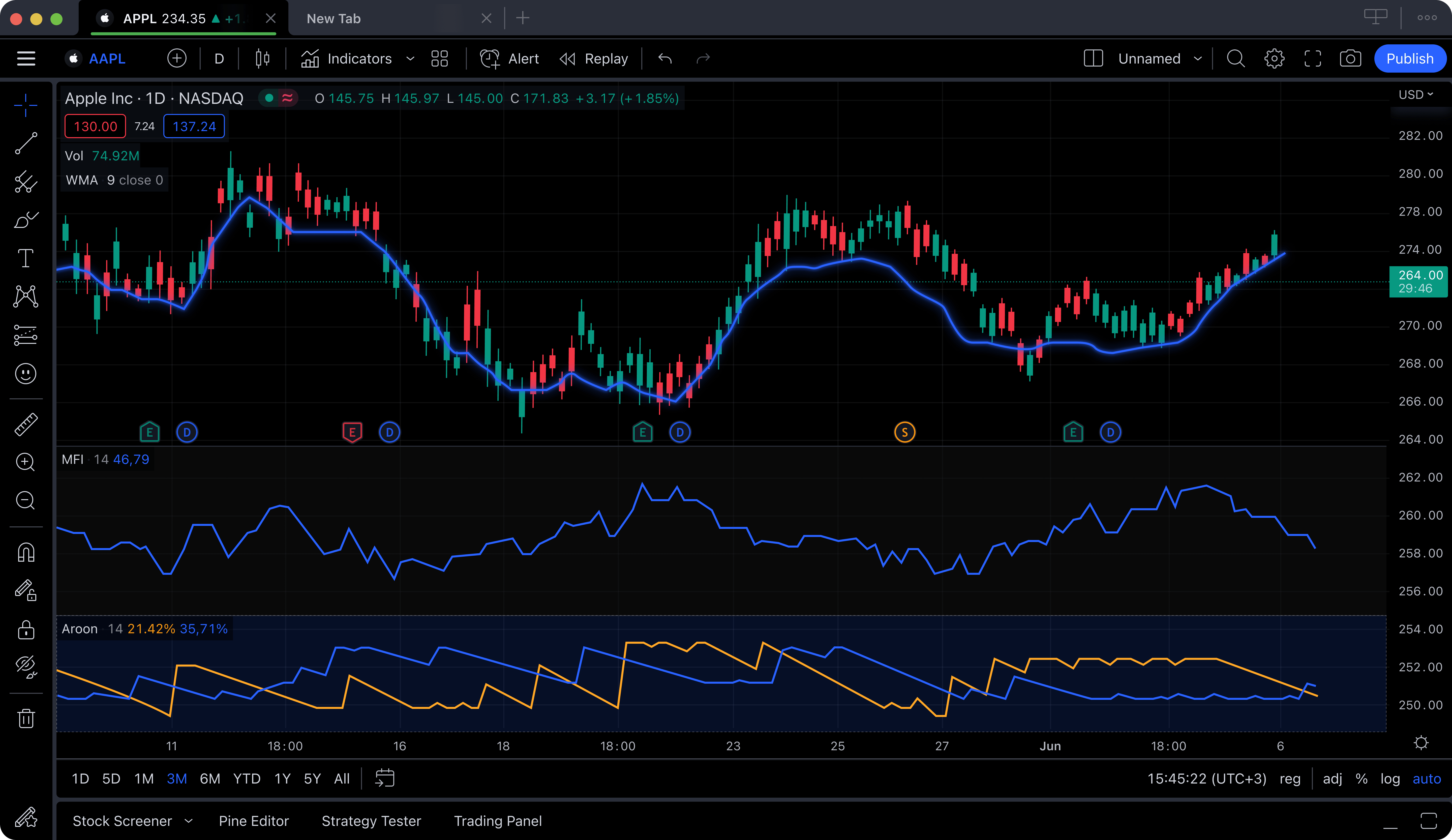
TradingView is best known as a charting platform, but it also includes a capable stock screener and watchlist. The screener lets you filter by technical indicators, fundamentals, and performance metrics, and you can use community-created screener presets that other traders have shared. The watchlist feature is well-designed, with support for multiple lists, color coding, and notes alongside each ticker.
The biggest limitation on TradingView's free tier is the alert system. Free users can only set a single active alert at a time. For a screener and watchlist platform, that is a serious constraint since most traders want alerts on at least a handful of stocks simultaneously. Upgrading to the Essential plan at $14.95 per month gives you 20 alerts, while the Plus plan at $29.95 per month provides 100 alerts. The free tier also shows ads and limits you to one chart layout.
TradingView's community is its strongest differentiator. You can browse thousands of screener setups shared by other traders, follow users whose screening methodologies match your style, and get ideas for criteria you might not have considered. The Pine Script language also lets advanced users create custom screening conditions. But for the actual free screening and alerting experience, TradingView's limitations push most active users toward paid plans relatively quickly.
Pros
Good screener with technical and fundamental filters
Well-designed watchlist with multiple lists
Large community with shared screener presets
Pine Script for custom screening logic
Cons
Only 1 alert on the free plan
Ads on the free tier
Paid plans are expensive for full alert functionality
No AI signals or insider trading data
Best for: Traders who want community-driven screening ideas and are willing to pay for a full alert system.
5. Yahoo Finance
Yahoo FinanceFree (+ Yahoo Finance Plus from $24.99/mo)
Yahoo Finance is one of the most widely used financial platforms in the world, and its stock screener is accessible to anyone without even creating an account. The screener lets you filter by basic criteria including market cap, sector, P/E ratio, dividend yield, price change, and a few technical indicators. It is not the deepest screener available, but it covers the basics that casual investors and beginners need.
The watchlist feature on Yahoo Finance is solid and completely free. You can create multiple portfolios and watchlists, track stocks with live-ish prices (data can be delayed depending on the exchange), and see percentage changes, volume, and market cap at a glance. The mobile app makes it easy to check your watchlist on the go. Basic price alerts are available through the app, though they are not as customizable as what dedicated alert platforms offer.
Where Yahoo Finance falls behind is in the depth of its screening capabilities and the quality of its data. Screener filters are limited compared to Finviz or Stock Rover. There are no insider trading data, no AI features, and no technical screening beyond the basics. Yahoo Finance Plus at $24.99 per month adds some research and valuation tools but does not meaningfully improve the screener. For a free, no-frills starting point, Yahoo Finance works. For anything more, you will need a more specialized tool.
Pros
No account required for basic screening
Solid free watchlist with multiple lists
Good mobile app for on-the-go tracking
Excellent financial news and market data
Cons
Screener filters are limited
Data can be delayed on free tier
No insider trading data or AI features
Heavy advertising throughout the platform
Yahoo Finance Plus is expensive for what it adds
Best for: Beginners and casual investors who want a simple, free watchlist and basic screening without creating an account.
6. Webull
WebullFree
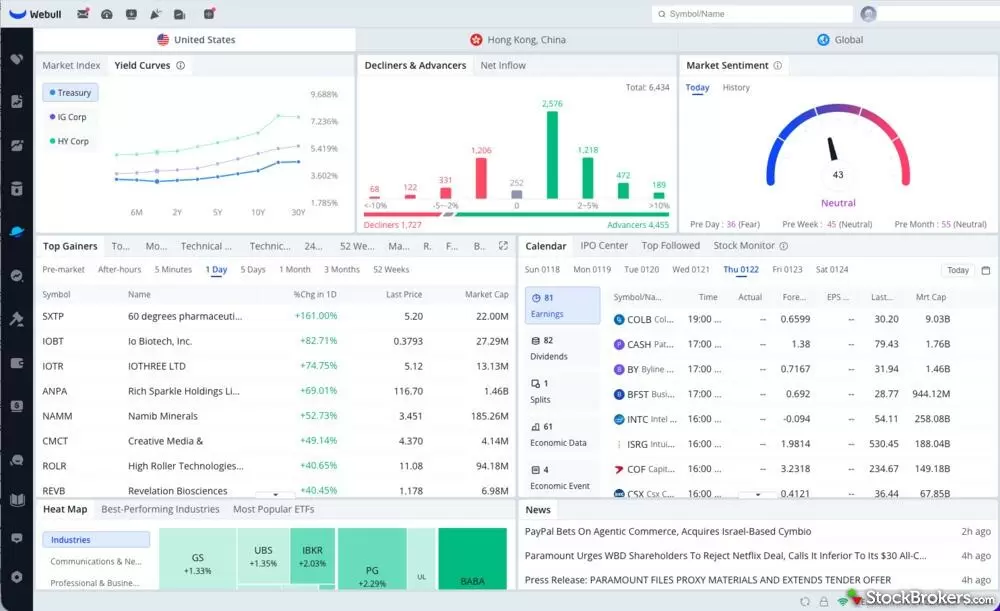
Webull is a commission-free trading app that includes built-in screening, watchlist, and alert features as part of its trading platform. The screener lets you filter by basic criteria like price, market cap, volume, and a handful of technical indicators. It is not the most powerful screener available, but the integration with Webull's trading platform means you can screen, add to a watchlist, set an alert, and execute a trade all within the same app.
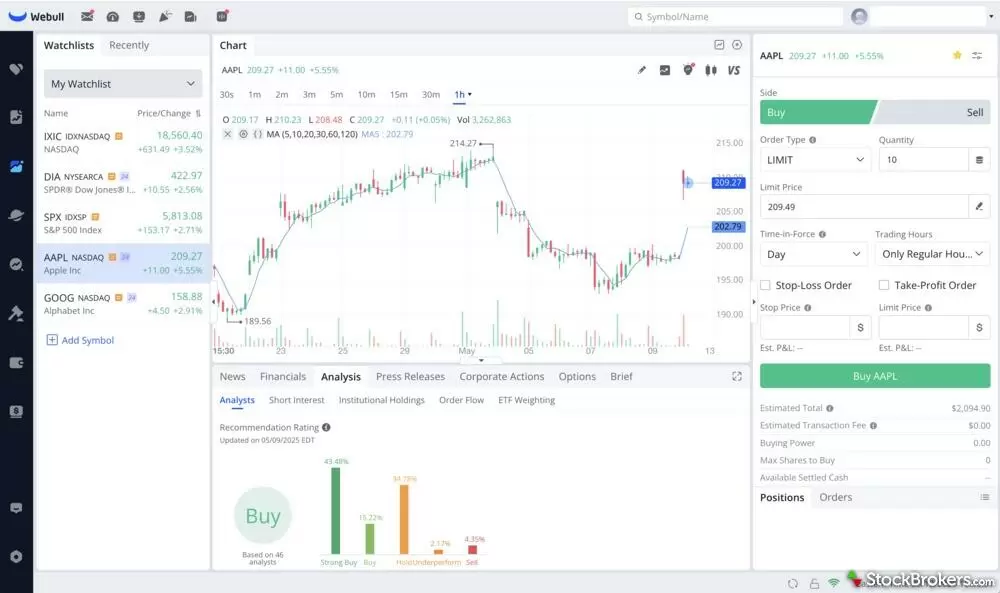
The watchlist is straightforward and functional, with live price updates and the ability to organize stocks into custom lists. Price alerts are free and unlimited (within reasonable limits), which is a genuine advantage over platforms like TradingView that restrict free alerts to just one. You can set alerts based on price levels, percentage changes, and volume thresholds. Push notifications on mobile make it easy to stay informed without constantly checking the app.
Webull's weakness is in the depth and sophistication of its screening. The filter options are basic compared to dedicated screeners like Finviz or Stock Rover. There are no AI features, no insider trading data, and no advanced technical screening. The screener is designed for the platform's core audience of beginner to intermediate traders who want a simple all-in-one solution. If that describes you, Webull delivers a lot of value for free. If you need more advanced screening, pair Webull's trading and alerts with a more powerful screener like ChartingLens or Finviz.
Pros
Completely free with no paid tier needed
Unlimited price alerts on the free plan
Integrated trading, screening, watchlist, and alerts
Real-time data included free
Good mobile app with push notifications
Cons
Basic screener with limited filter options
No AI features or insider trading data
Screener is secondary to the brokerage function
No advanced technical or fundamental screening
Best for: Traders who want free alerts, a watchlist, and commission-free trading in one mobile-first app.
7. MarketWatch
MarketWatchFree (basic) + $29.99/mo Premium
MarketWatch, owned by Dow Jones, is primarily a financial news and market data platform. It includes a stock screener and a watchlist feature that complement its extensive market coverage. The screener provides basic filtering by market cap, P/E ratio, dividend yield, sector, and a few performance metrics. It is straightforward to use and does not require an account, making it accessible for quick, one-off screens.
The watchlist on MarketWatch lets you create a virtual portfolio where you can track stocks, see price changes, and read related news for each holding. Basic price alerts are available for free, with email notifications when stocks hit your target prices. The integration with MarketWatch's news coverage means you get context alongside your price data, which is useful for understanding why a stock is moving.
The limitations are clear: the screener is shallow compared to dedicated tools, with far fewer filter options than Finviz, Stock Rover, or even TradingView. Data is delayed on the free tier. There are no AI features, no insider trading data, and the premium tier at $29.99 per month is one of the most expensive on this list while primarily adding ad-free browsing and some additional research tools rather than meaningfully improving the screener. MarketWatch works best as a news-driven companion tool rather than a primary screening platform.
Pros
Excellent financial news and market commentary
Free watchlist with virtual portfolio tracking
Basic price alerts via email
No account required for basic screening
Cons
Shallow screener with limited filters
Delayed data on free tier
No AI features or insider trading data
Premium plan is expensive at $29.99/mo
Heavy advertising on free plan
Best for: News-focused investors who want a watchlist paired with market commentary and are less concerned with deep screening.
Best Free Watchlist Apps
If your primary need is a free watchlist app with live prices and a smooth tracking experience, here is how the options rank.
1. ChartingLens offers the best free watchlist for active traders. Live prices update in real time, and every stock on your watchlist is backed by AI buy signals, insider trading data, and full charting. You are not just tracking prices; you are tracking context. The watchlist is tightly integrated with the platform's screening and alerting features, so you can go from discovery to monitoring to action without switching tools.
2. Yahoo Finance is the best free watchlist for casual investors. The ability to create multiple watchlists and portfolios, combined with solid market news, makes it a reliable daily-check tool. The mobile app is polished and widely used. The trade-off is delayed data and limited integration with advanced screening or alerts.
3. Webull is the best free watchlist for traders who also want to execute trades. The integration between watchlist, alerts, and order placement is seamless. Live data is included free. The downside is that the broader analysis tools around the watchlist are basic compared to dedicated platforms.
4. TradingView has a well-designed watchlist with features like color coding and notes, but the single-alert limit on the free tier reduces its value as a monitoring tool. If you are willing to pay for a plan, TradingView's watchlist becomes excellent. On the free tier alone, it falls behind ChartingLens and Yahoo Finance.
The other platforms, including Finviz, Stock Rover, and MarketWatch, offer watchlist functionality but it is clearly secondary to their other features. If a great watchlist is your priority, start with ChartingLens for active trading or Yahoo Finance for passive tracking.
Best Free Stock Alert Apps
Stock alerts keep you in the loop without requiring you to stare at screens all day. Here are the best free options, ranked by how much alerting power you get without paying.
1. ChartingLens leads the alert category for two reasons. First, it offers a free price alert system where you can set target prices and get notified when stocks hit them. Second, and more importantly, its AI buy signals function as automated smart alerts. The AI continuously scans over 2,000 stocks and flags high-probability setups, effectively giving you alerts on opportunities you did not even know to look for. No other free platform offers this level of intelligent, proactive alerting. The combination of manual price alerts and AI-driven signals creates a two-layer alert system that catches both the stocks you are watching and the ones you should be watching.
2. Webull is the best option for straightforward, unlimited price alerts. You can set as many alerts as you want on the free plan, including price level alerts, percentage change alerts, and volume alerts. The mobile push notifications work reliably. If you want simple, no-fuss price alerts without any AI or complexity, Webull delivers.
3. TradingView has the most powerful alert engine in terms of customization since you can create alerts based on any indicator, drawing, or Pine Script condition. However, the free tier limits you to a single alert, which makes it impractical for real use. If you are on a paid plan, TradingView's alerts are among the best in the industry. On the free tier, it ranks behind ChartingLens and Webull.
4. Yahoo Finance and MarketWatch both offer basic price alerts for free. Yahoo Finance delivers them through its mobile app, while MarketWatch uses email. Neither offers anything beyond simple price-level notifications, and neither includes AI-driven or technical-indicator-based alerts.
Finviz and Stock Rover do not offer free alerts at all. Finviz requires the Elite plan for email alerts, and Stock Rover requires a paid subscription for any alerting functionality.
How to Build an Effective Watchlist
Having access to a free watchlist app is only useful if you know how to organize and maintain it. Here is a practical framework for building a watchlist that actually helps you trade better.
Start with your strategy, not random tickers. Before adding anything to your watchlist, define what kind of stocks you are looking for. Are you tracking momentum plays with high relative volume? Undervalued stocks with insider buying? Earnings breakout candidates? Your strategy determines what belongs on your list and, just as importantly, what does not.
Keep it focused. A watchlist with 200 stocks is not a watchlist; it is a database. For active traders, 15 to 30 stocks is the sweet spot. That is enough to have a pipeline of opportunities without drowning in noise. Long-term investors can maintain a slightly larger list of 30 to 50, but anything beyond that becomes difficult to monitor meaningfully.
Organize by category. Create separate groups or labels for different types of setups. For example, you might have a "Momentum" group for stocks showing strong recent movement, an "Earnings Watch" group for upcoming reports, and a "Waiting for Entry" group for stocks that are close to your buy zone but not quite there yet. Platforms like ChartingLens and TradingView make this kind of organization straightforward.
Set alerts on key levels. For every stock on your watchlist, identify the price level that would trigger action, whether that is a breakout above resistance, a pullback to support, or an earnings reaction target, and set an alert at that level. This turns your watchlist from a passive list into an active system. If you are using ChartingLens, the AI buy signals handle some of this automatically by surfacing stocks when they hit high-probability setups.
Review and prune weekly. Every weekend, go through your watchlist and remove stocks that no longer meet your criteria. The setup may have already played out, the thesis may have changed, or a better opportunity may have appeared. A stale watchlist is worse than no watchlist at all because it gives you a false sense that you are being systematic when you are really just holding onto old ideas.
Use screener results as input. The best watchlists are fed by a disciplined screening process. Run your screener regularly, whether that is a manual Finviz screen, a ChartingLens insider trading scan, or an AI-generated signal list, and use the results to refresh your watchlist with new candidates. This keeps your list current and aligned with what the market is actually doing right now.
Frequently Asked Questions
ChartingLens is one of the best free stock screeners in 2026. Its server-side screener combines fundamental filters (market cap, P/E, EPS growth, dividend yield, ROE), momentum filters (Float, Short Float %, relative volume, Gap %), and technical filters (MACD, RSI, moving-average stacks, candlestick patterns), plus a dual-timeframe mode that confirms signals on the daily and weekly chart together. It also includes an insider trading screener, a top gainers and losers view, and AI buy signals that scan over 2,000 stocks automatically. Finviz is also strong for pure filter-based screening on delayed data, and TradingView offers community-driven screener presets.
Yes. ChartingLens offers a free watchlist with live, real-time price updates, percentage changes, and integration with AI signals and insider trading data. Yahoo Finance provides a solid free watchlist with multiple list support and good mobile apps. Webull includes a free watchlist within its trading platform. All three are genuinely free to use without requiring a paid upgrade for basic watchlist functionality.
ChartingLens offers the most comprehensive free alert system, combining manual price alerts with AI-powered smart alerts that automatically flag high-probability setups across thousands of stocks. Webull provides unlimited free price alerts with mobile push notifications. TradingView has the most customizable alert engine, but its free tier limits you to just 1 active alert, making it impractical without a paid plan.
Yes. ChartingLens includes a free insider trading tracker that shows you real-time data on when corporate executives, directors, and major shareholders are buying or selling their own company stock. This works as a built-in screener for insider activity. Finviz provides limited insider data on its free tier but with less detail and delayed updates. Most other screener platforms do not offer insider trading data at all.
Start by defining your trading strategy, then keep your list focused at 15 to 30 stocks for active trading or up to 50 for long-term investing. Organize stocks by category (momentum, earnings, value, etc.), set alerts on key price levels for each stock, and review and prune your list weekly. Use a screener to regularly refresh your watchlist with new candidates. Platforms like ChartingLens streamline this process by combining the watchlist with live prices, AI signals, and insider data in one place.
A stock screener filters the entire market based on criteria you define, such as price, volume, market cap, technical indicators, or fundamental metrics, to find stocks matching your strategy. A watchlist is a curated list of specific stocks you are actively monitoring. Think of the screener as the net you cast to find candidates, and the watchlist as the shortlist of opportunities you are tracking closely. The most effective workflow uses both: screen to discover candidates, then add the best results to your watchlist for ongoing monitoring with alerts.
Yes. Finviz has a free tier with its full screener, heat maps and news, on delayed quotes. Finviz Elite costs $39.50 a month or $299.50 a year and adds real-time data, intraday charts, backtesting and alerts. Our Finviz Elite review covers whether the upgrade pays for itself.
Day trading needs intraday data plus relative volume, gap and float filters. The ChartingLens free screener has relative volume, Gap % and float filters and opens every match on a live chart, with the top 10 matches per scan on the free plan. For a full ranking of day trading scanners, including paid ones like Trade Ideas, see our best stock screener for day trading guide.
Final Verdict
Every platform on this list has a role to play, and the best choice depends on what you need most. If deep fundamental filtering is your priority and you do not mind delayed data, Finviz gives you the most comprehensive free screener. If you want an all-in-one trading platform with basic screening and unlimited alerts, Webull is a strong free option. If community and scripting matter, TradingView is the place to be, though you will likely need a paid plan for a useful alert system.
But for the best overall combination of screening, watchlist, and alerting in a free platform, ChartingLens stands out. Its server-side screener covers fundamental, momentum, and technical filters — with one-click curated presets, saveable Screener Loadouts, and a dual-timeframe mode that few screeners at any price can match — and every result clicks straight into a full interactive chart. Its free watchlist with live prices gives you real-time visibility into your positions and candidates. Its insider trading tracker functions as a unique screener that surfaces opportunities most platforms cannot show you. Its top gainers and losers view lets you catch momentum in real time. And its AI buy signals act as smart alerts that proactively surface high-probability setups across over 2,000 stocks, going far beyond what a simple price alert can do.
At $14.99 per month, ChartingLens Premium is also the most affordable meaningful upgrade on this list — unlocking unlimited screener results, 10 watchlists, and deeper AI analysis for less than Finviz Elite, Yahoo Finance Plus, or MarketWatch Premium charge for far narrower feature sets. But for most traders, the free tier delivers more screening, watchlist, and alerting functionality than many competing platforms charge $25 or more per month to provide.
The key takeaway: stop switching between five different tools to screen, track, and get alerted. Pick a platform that integrates all three, and start with one that gives you real value on the free tier.
Full-filter screener with one-click presets, a live watchlist, insider trading data, and AI-powered alerts. Free forever plan — no credit card required.