Every professional pilot logs hundreds of hours in a flight simulator before sitting in a real cockpit. Surgeons practice on cadavers and simulations before operating on patients. Yet thousands of new traders jump straight into the stock market with real money, no practice, and no tested strategy. The result is predictable: most lose money in their first year. A stock market simulator eliminates this problem by letting you practice with virtual money while experiencing real market conditions.
Paper trading, the practice of placing simulated trades without real money, has been part of trading education for decades. But the technology behind it has evolved dramatically. Modern stock trading simulators use live market data, realistic order fills, and sophisticated analytics that were once available only to institutional desks. In 2026, you can practice day trading, test swing strategies, backtest years of historical data, and even replay past market sessions, all for free.
Whether you are a complete beginner learning how orders work or an experienced trader developing a new strategy, spending time in a paper trading simulator is one of the smartest things you can do before risking real capital. For a broader overview of practice methods beyond just simulators, see our guide on how to practice trading. In this guide, we review the best stock market simulators, paper trading platforms, backtesting software, and market replay tools available in 2026, covering both free and paid options so you can find the right fit for your goals.
What Is a Stock Market Simulator?
A stock market simulator is a platform that replicates the experience of trading stocks, options, ETFs, or other financial instruments using virtual money instead of real funds. You place orders, manage positions, track your profit and loss, and monitor your portfolio just as you would with a live brokerage account. The key difference is that no actual money changes hands. If you lose $5,000 in a simulator, your real bank account remains untouched.
Modern stock trading simulators typically pull in real-time or near-real-time market data, so the prices you see in your simulated account reflect what is actually happening on the exchanges. When you place a buy order in the simulator, it executes against the current market price. When the stock moves, your simulated profit or loss updates accordingly. This creates a realistic environment for learning how markets behave and how your decisions translate into outcomes.
There is an important distinction between paper trading and simulation that is worth understanding. Paper trading generally refers to forward-looking practice, where you place trades in real time alongside the live market and track performance going forward. A broader stock market simulator may also include historical simulation features like backtesting (testing a strategy against past data) and market replay (replaying a historical trading session tick by tick). For a step-by-step walkthrough of strategy validation, see our guide on how to backtest a trading strategy. The best paper trading platforms combine all three capabilities, though many traders use separate tools for each purpose.
A paper trading simulator is not just for beginners. Experienced traders use simulators to test new strategies before committing real capital, practice trading unfamiliar asset classes, and refine execution techniques in a risk-free environment. Think of it as a laboratory for your trading ideas, where the only cost of failure is time.
What to Look for in a Trading Simulator
Not every stock trading simulator is built the same. When evaluating the best trading simulator for your needs, consider these six criteria carefully.
Real-Time Data
Does the simulator use live market prices or delayed data? Real-time data is essential for practicing day trading or any strategy that depends on precise timing.
Realistic Execution
Does the simulator model slippage, partial fills, and bid-ask spreads? Or does every order get an instant, perfect fill? More realistic execution better prepares you for live trading.
Asset Coverage
Can you simulate trading stocks, options, ETFs, futures, and crypto? If your strategy involves options or futures, you need a simulator that supports those instruments.
Charting Tools
Does the simulator include quality charting with technical indicators, drawing tools, and multiple timeframes? You should be analyzing charts the same way you would in a live account.
Strategy Backtesting
Can you test your strategy against historical data? Backtesting trading strategies allows you to see how a set of rules would have performed over months or years of past data.
Performance Analytics
Does the platform track your win rate, average gain, average loss, drawdown, and other key metrics? Performance analytics help you identify weaknesses in your approach.
The best paper trading platform for you will depend on which of these criteria matter most. A day trader needs speed and real-time data above all else. A strategy developer cares more about backtesting depth. A beginner just needs something simple and educational. We evaluate each platform below against all six criteria.
Quick Comparison Table
Here is how eight top stock market simulators and paper trading platforms compare across the features that matter most.
Scroll horizontally to see all columns →
Feature
Thinkorswim paperMoney
TradingView Paper
Webull Paper
Investopedia Sim
moomoo Paper
Wall St Survivor
TradeStation Sim
ChartingLens*
Real-Time Data
✓
✓
✓
15m delay
✓
20m delay
✓
✓
Stocks & ETFs
✓
✓
✓
✓
✓
✓
✓
✓
Options Simulation
✓
✗
✓
✗
✓
✗
✓
✗
Charting Quality
Excellent
Excellent
Good
Basic
Good
Basic
Excellent
Excellent + AI
Backtesting
✓
Pine Script
✗
✗
✗
✗
EasyLanguage
Plain English
Market Replay
Limited
✓
✗
✗
✗
✗
✓
✓ + Random Date
AI Analysis
✗
✗
✗
✗
✗
✗
✗
✓
Mobile App
✓
✓
✓
✓
✓
Web only
✓
✓
Price
Free
Free
Free
Free
Free
Free
Free
Free + $14.99/mo
*ChartingLens is a charting and AI analysis platform whose Bar Replay & Paper Trading mode (Premium) turns any chart into a replay-based trading simulator: rewind to any past date, step forward candle by candle, and place simulated orders with stop losses and take profits. See the ChartingLens section below for details.
Best Stock Market Simulators & Paper Trading Platforms
Below are in-depth reviews of the seven best stock market simulators and paper trading platforms, plus ChartingLens, whose Bar Replay & Paper Trading mode offers something none of the others do: blind, replay-based practice on random historical dates. Each review covers what makes the platform unique, who it is best suited for, and where it falls short.
#1 Thinkorswim paperMoney
Thinkorswim paperMoneyFree with Schwab Account
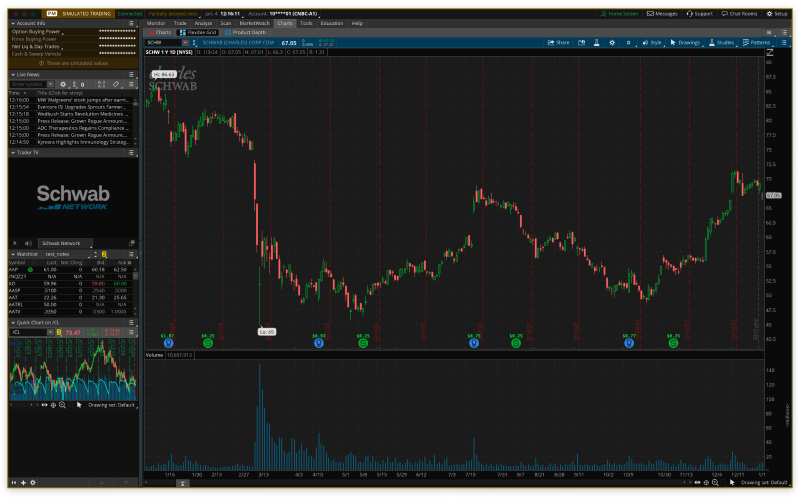
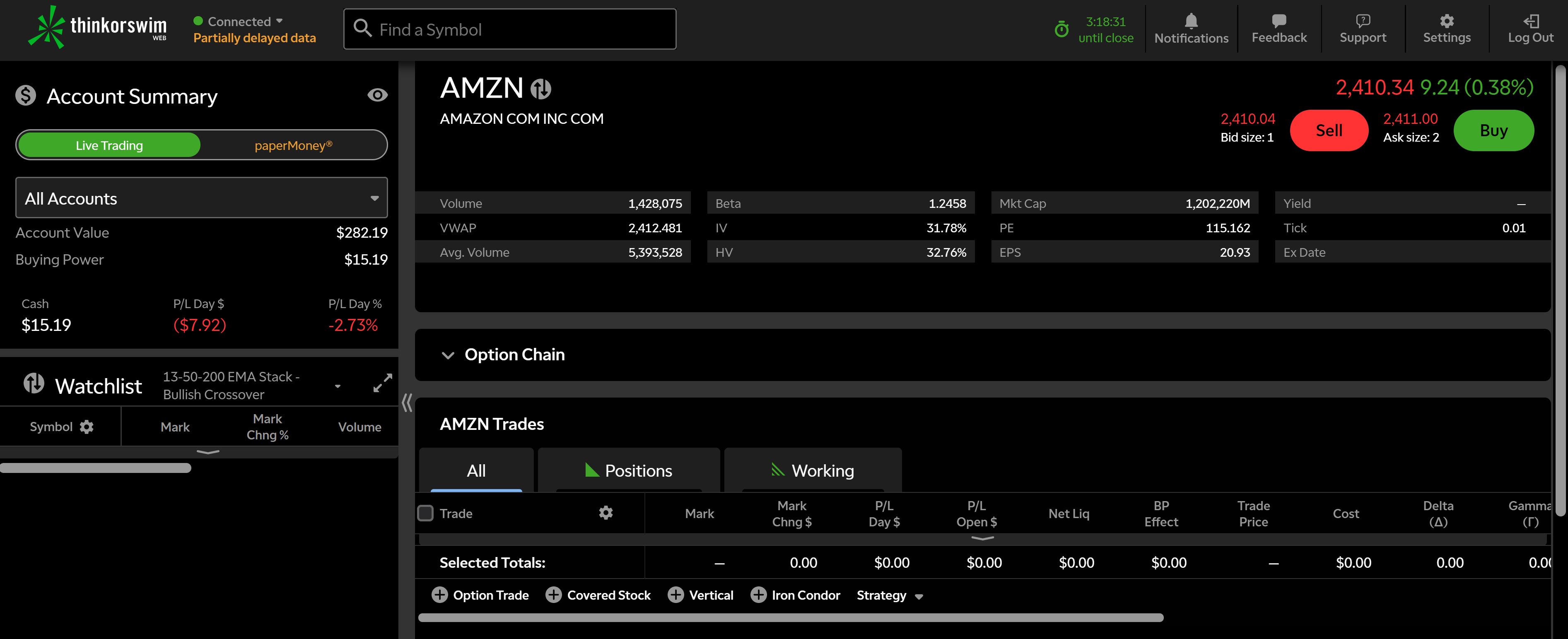
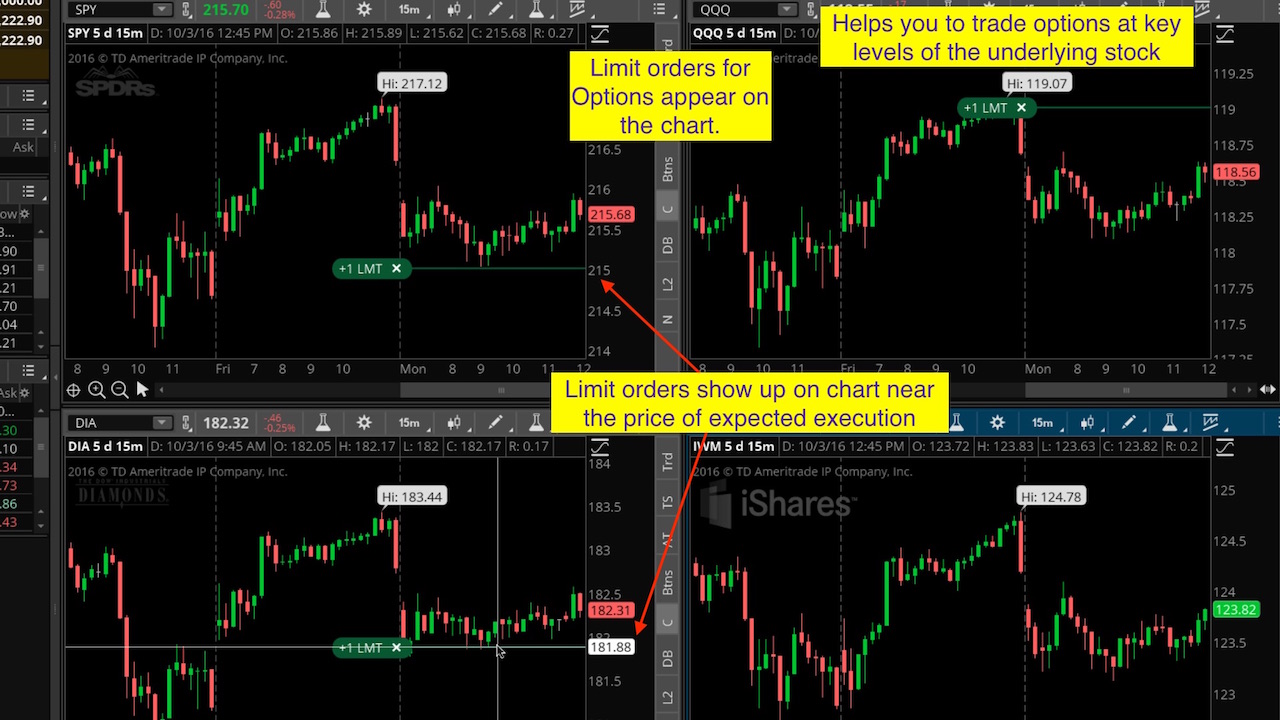
Thinkorswim paperMoney is the gold standard for stock market simulators. Developed originally by TD Ameritrade and now part of Charles Schwab, paperMoney gives you a fully functional paper trading account loaded with $100,000 in virtual money and access to the complete Thinkorswim platform. This means you get the same advanced charting, the same order types, the same options chains, and the same technical studies that real-money traders use. The paper trading simulator runs on real-time data with a slight processing delay, making it one of the most realistic stock trading simulators available.
What sets Thinkorswim apart from other paper trading simulators is its depth. You can simulate trading stocks, options (including complex multi-leg strategies), futures, and forex. The options simulation is particularly impressive: you can model spreads, iron condors, and strangles with full Greeks visualization. The platform also includes a built-in Strategy Tester for backtesting trading strategies against historical data, which makes it a surprisingly complete tool for strategy development.
The main downside is the learning curve. Thinkorswim is a professional-grade desktop application with hundreds of features, and new traders can easily feel overwhelmed. The interface is not as polished as newer web-based platforms. You also need to open a free Schwab brokerage account to access paperMoney, though no funding is required.
Pros
Full-featured platform with real-time data
$100K virtual balance for realistic practice
Advanced options simulation with Greeks
Built-in backtesting (Strategy Tester)
Stocks, options, futures, and forex
Completely free with a Schwab account
Cons
Steep learning curve for beginners
Desktop app feels dated and heavy
Requires Schwab account signup
No AI-powered analysis features
Best for: Serious traders who want the most realistic stock market simulator with full options, futures, and backtesting capabilities.
#2 TradingView Paper Trading
TradingView Paper TradingFree (limited) + from $14.95/mo
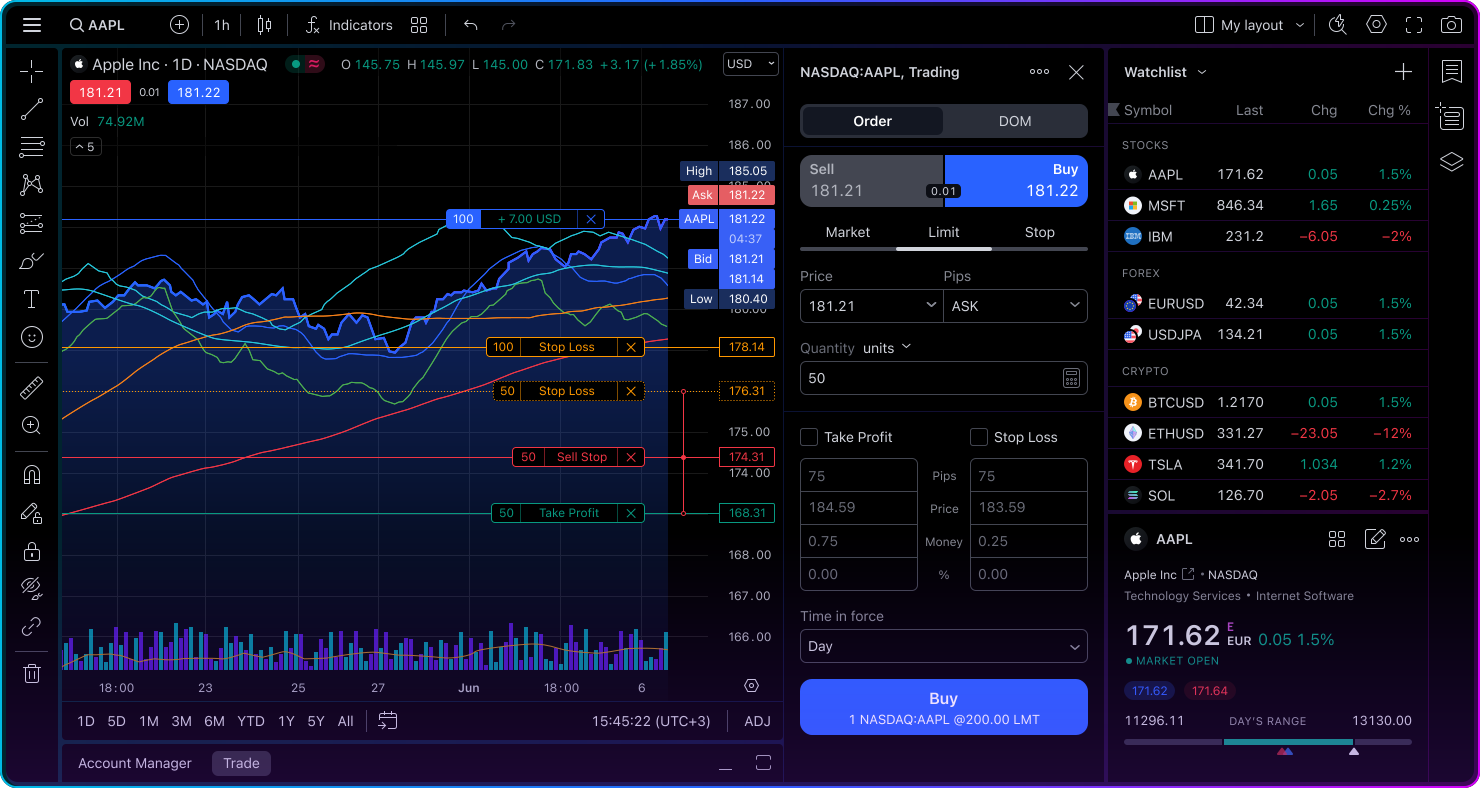
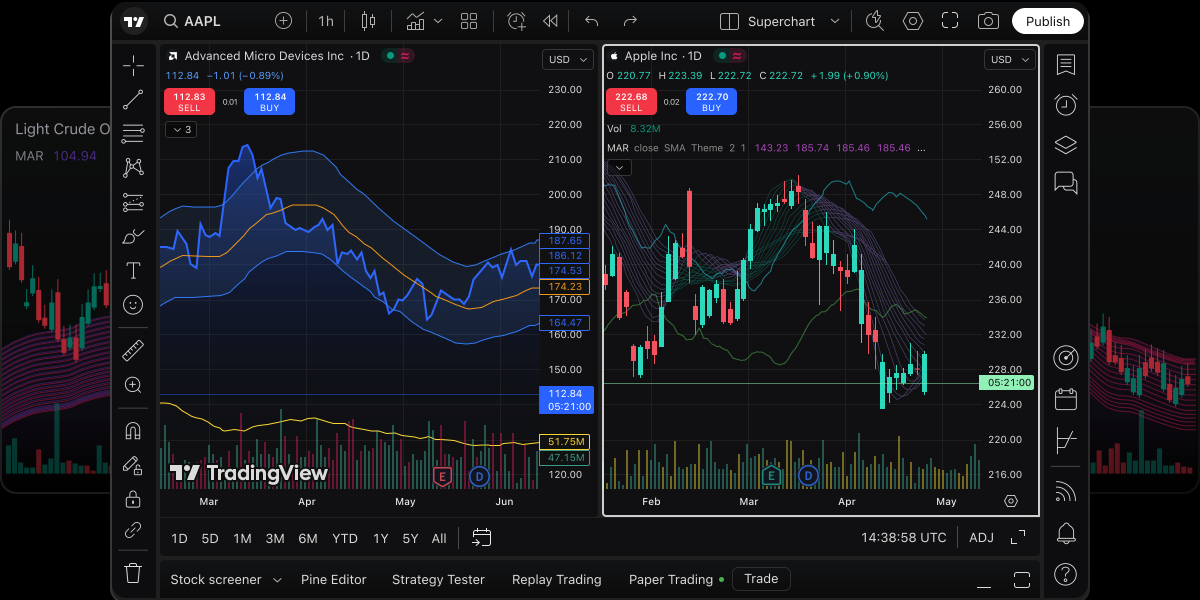
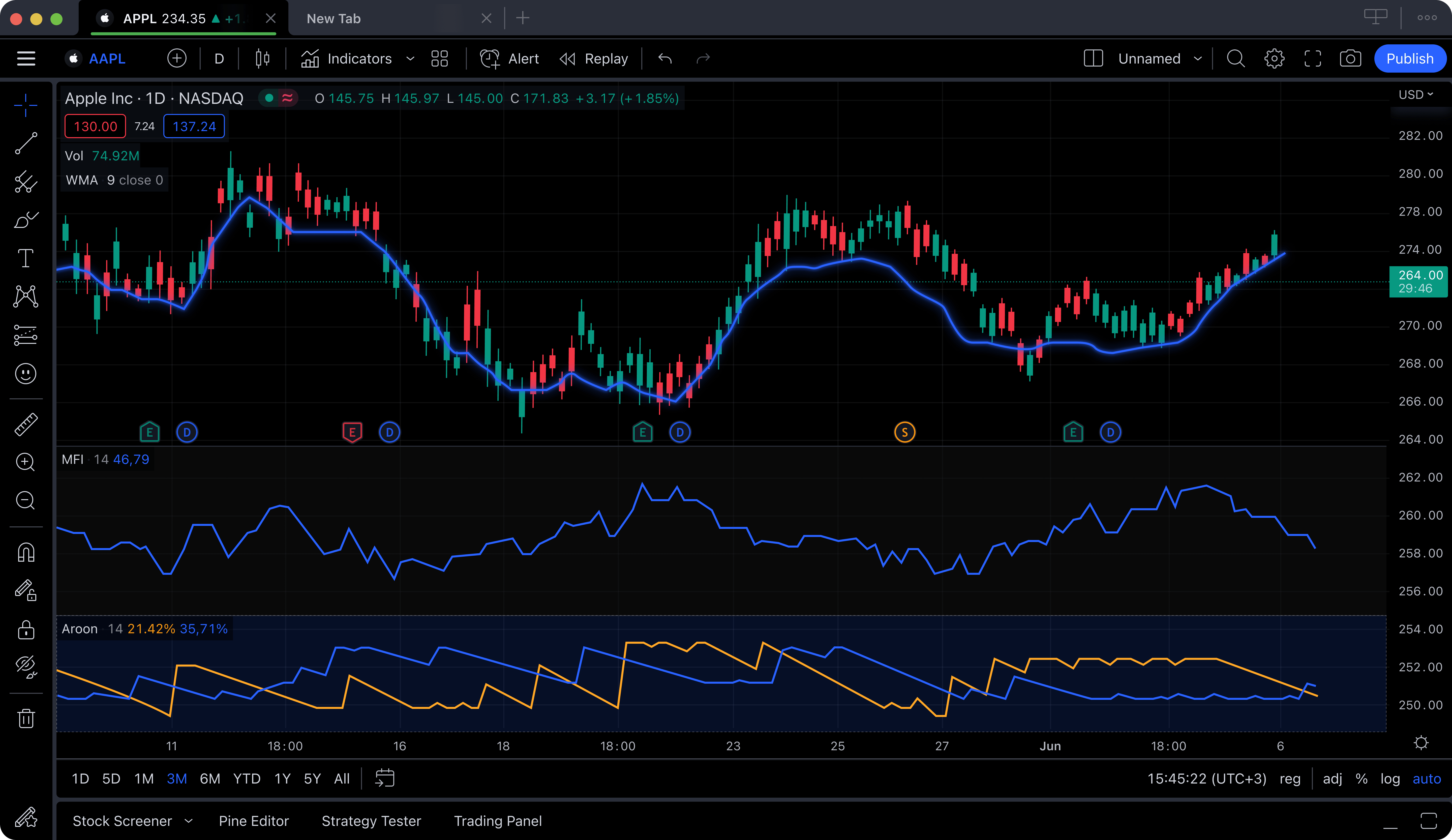
TradingView's paper trading feature is built directly into its world-class charting platform, which means you can analyze a chart and place a simulated trade without ever leaving the screen. This tight integration between charting and paper trading makes TradingView one of the best paper trading platforms for traders who prioritize technical analysis. You can apply indicators, draw trendlines, set alerts, and then test your thesis with a paper trade, all in the same workflow.
The paper trading simulator in TradingView starts you with $100,000 in virtual funds and supports limit, market, stop, and stop-limit orders across stocks and crypto. One major advantage is TradingView's market replay feature, which lets you replay historical price action bar by bar. This is valuable for practicing your analysis on past market conditions, essentially turning any historical day into a real-time day trading simulator. Combine that with Pine Script for backtesting trading strategies, and TradingView becomes a versatile practice environment.
The limitations come from TradingView's free tier restrictions. Free users can only use one indicator per chart, see ads, and have limited chart layouts. While the paper trading itself is free, your charting experience will be constrained unless you upgrade. There is also no options simulation, which is a gap for options traders.
Pros
Paper trading integrated into best-in-class charts
Market replay for historical practice
Pine Script for backtesting strategies
Huge community for sharing ideas
Works in browser, no installation needed
Cons
Free tier limits indicators to 1 per chart
Ads on the free plan
No options simulation
Paid plans required for full charting features
Best for: Chart-focused traders who want paper trading, market replay, and backtesting in one platform.
#3 Webull Paper Trading
Webull Paper TradingFree
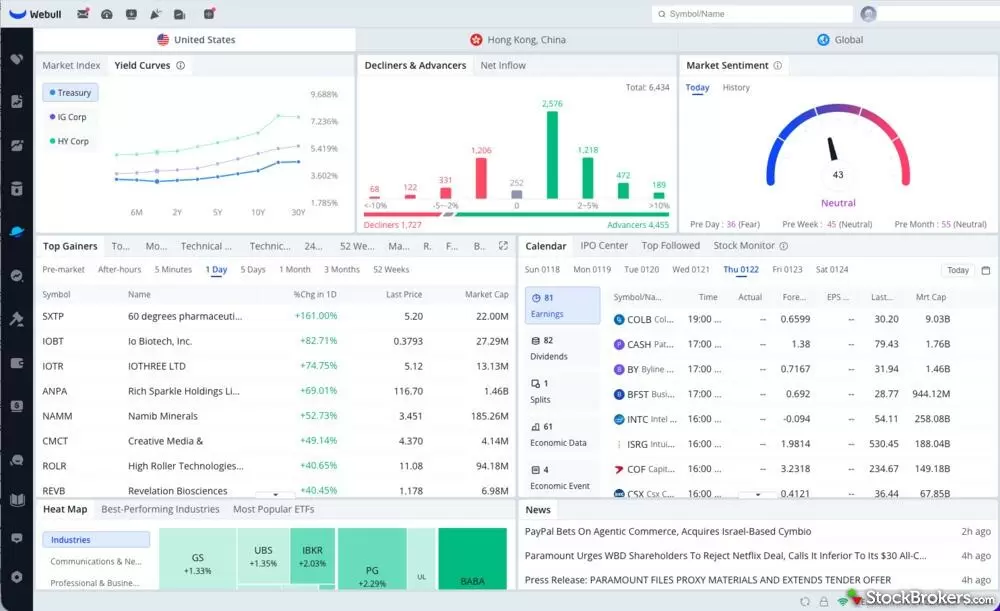
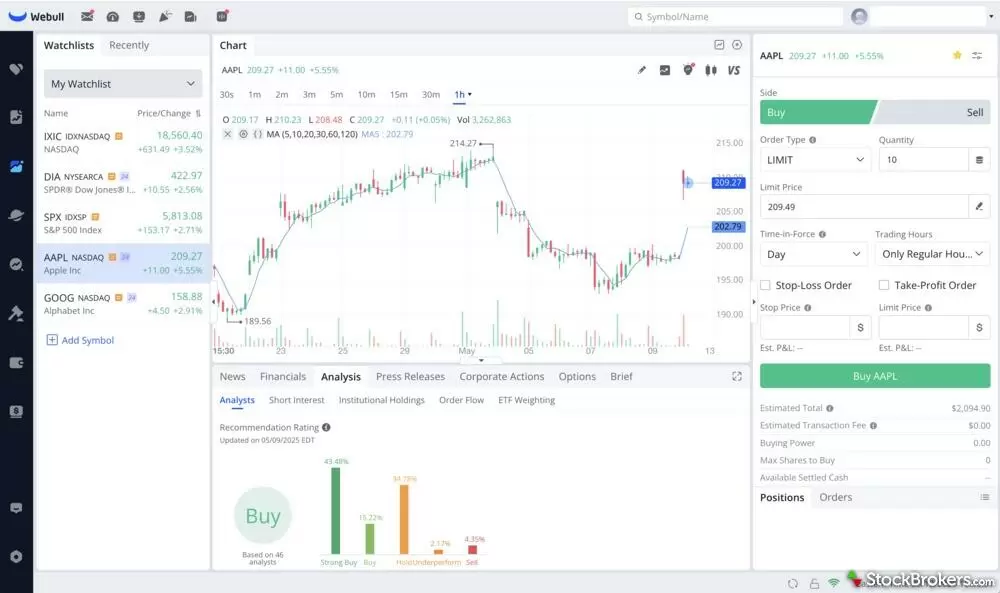
Webull offers one of the best mobile paper trading experiences available. The paper trading simulator is a separate mode within the Webull app that gives you $1,000,000 in virtual money to practice with. You can trade stocks, ETFs, and options in the simulator using the same interface as the live trading mode. The transition between paper and live trading is a simple toggle, which makes it easy to practice a strategy and then execute it for real when you are ready.
The mobile-first design makes Webull the best paper trading platform for traders who primarily use their phone. The charts are clean and responsive, order entry is intuitive, and you get real-time data on all simulated trades. Webull also provides a paper trading leaderboard where you can see how your simulated performance compares to other users, which adds a competitive and motivational element.
The drawback is that Webull's charting tools are relatively basic compared to dedicated charting platforms. The indicator selection is limited, drawing tools are simple, and there is no backtesting capability. You also will not find market replay or advanced analytics. For the charting side, many traders pair Webull's paper trading with a separate analysis platform.
Pros
Excellent mobile paper trading experience
$1M virtual balance
Options simulation included
Real-time data, completely free
Easy toggle between paper and live trading
Paper trading leaderboard
Cons
Limited charting and indicator tools
No backtesting or market replay
Basic drawing tools
Desktop version less polished than mobile
Best for: Mobile traders who want a smooth paper trading simulator with easy transition to real trading.
#4 Investopedia Stock Simulator
Investopedia Stock SimulatorFree
The Investopedia Stock Simulator is the best stock market simulator for absolute beginners and students who are just learning how the market works. Backed by the most popular financial education website on the internet, the simulator gives you $100,000 in virtual money and a straightforward interface that strips away complexity. You search for a stock, decide how many shares to buy, and place your order. There are no overwhelming chart tools or complex order types to confuse newcomers.
What makes the Investopedia simulator unique is its educational integration. Every aspect of the simulator is tied to Investopedia's vast library of articles, tutorials, and definitions. If you do not understand what a limit order is, a help link is right there. The platform also supports trading games where groups (such as a college class or a group of friends) compete to see who can grow their virtual portfolio the most over a set period. This gamified learning approach makes it engaging for younger or less experienced users.
The trade-off is that this is not a serious trading tool. There are no technical indicators, no charting beyond basic price graphs, no options trading, no backtesting, and the data runs on a 15-minute delay. Experienced traders or anyone practicing a specific technical strategy will find it too simplistic. But as a first step into the world of simulated trading, especially for students and educators, it serves its purpose well.
Pros
Best for absolute beginners and students
Deep integration with Investopedia's educational content
Trading games and competitions
Simple, non-intimidating interface
Completely free
Cons
15-minute delayed data
No technical analysis tools
No options or futures simulation
Too basic for experienced traders
Best for: Students, beginners, and anyone who wants to learn stock market basics through hands-on simulation.
#5 moomoo Paper Trading
moomoo Paper TradingFree
moomoo is a commission-free trading platform backed by Futu Holdings that has been gaining traction with active traders, and its paper trading simulator is one of the most underrated options available. The simulator provides $1,000,000 in virtual money with real-time data and supports stocks, ETFs, and options trading. The mobile app is polished and fast, with a charting interface that rivals Webull and even approaches TradingView's quality on some metrics.
The standout feature of moomoo's stock trading simulator is the depth of free data it provides. You get Level 2 market data (Nasdaq TotalView) for free, which is unusual among paper trading platforms. This means you can see the full order book while you practice, giving you a more realistic view of market depth. The charting tools include a solid set of indicators, drawing tools, and multiple timeframes, all available on mobile.
On the downside, moomoo does not offer backtesting or market replay features. The platform is not as widely known as Thinkorswim or TradingView, so community resources and third-party tutorials are more limited. The desktop version is less polished than the mobile app, and some traders have reported occasional latency issues during high-volume sessions.
Pros
Free Level 2 data (Nasdaq TotalView)
$1M virtual balance with real-time data
Options simulation included
Clean, capable mobile interface
Good charting with indicators and drawing tools
Cons
No backtesting or market replay
Smaller community than major competitors
Desktop version less polished than mobile
Occasional latency during high-volume sessions
Best for: Traders who want free Level 2 data and a strong mobile paper trading experience with options.
#6 Wall Street Survivor
Wall Street SurvivorFree
Wall Street Survivor takes a gamified approach to stock market simulation, combining a paper trading simulator with courses, quizzes, and achievement badges. The platform gives you $100,000 in virtual money and organizes the learning experience around structured courses that teach you everything from basic market concepts to portfolio management. As you complete lessons and make successful trades, you earn points and compete on leaderboards.
This stock market simulator is specifically designed for people who learn better through engagement and competition rather than reading manuals. The courses are broken into bite-sized lessons, and the simulator itself is deliberately simplified to avoid overwhelming new users. You can create custom trading competitions with friends, classmates, or colleagues, which makes it a popular choice for college finance courses.
However, Wall Street Survivor is not suitable for practicing any kind of technical analysis or serious strategy testing. The charting is extremely basic, data is delayed by about 20 minutes, and there are no advanced order types. It is purely an educational tool. Experienced traders will find it too simplistic, but for someone taking their very first steps into understanding the stock market, the structured, gamified approach can be effective.
Pros
Gamified learning with badges and leaderboards
Structured courses for beginners
Custom competitions for groups
Non-intimidating for new investors
Free to use
Cons
20-minute delayed data
No technical analysis or charting tools
No options, futures, or crypto
Too basic for anyone beyond beginner level
Best for: Students and brand-new investors who want a fun, structured introduction to the stock market.
#7 TradeStation SimTrader
TradeStation SimTraderFree with TradeStation Account
TradeStation SimTrader is a professional-grade stock trading simulator that caters to advanced and algorithmic traders. TradeStation has been a fixture in the active trading community for decades, and its simulation environment reflects that heritage. SimTrader gives you access to the full TradeStation platform in simulation mode, including advanced charting, its proprietary EasyLanguage scripting for strategy development, and real-time data across stocks, options, and futures.
The biggest strength of TradeStation SimTrader is its backtesting and strategy automation capabilities. EasyLanguage lets you code custom indicators and automated strategies, then backtest them against years of historical data with detailed performance reporting. For traders who are serious about backtesting trading strategies and potentially automating their execution, TradeStation is one of the most powerful free options. The market replay feature also allows you to practice on historical sessions as if they were happening live.
The downsides mirror those of Thinkorswim: a steep learning curve, a somewhat dated interface, and the requirement to open a TradeStation account. The platform is geared toward advanced users, and beginners may struggle to navigate the extensive feature set. The mobile app exists but is secondary to the desktop experience.
Pros
EasyLanguage for custom strategies and backtesting
Market replay functionality
Professional-grade charting tools
Stocks, options, and futures simulation
Detailed strategy performance reporting
Cons
Steep learning curve
Requires TradeStation account
Interface can feel overwhelming
Better suited for advanced/algorithmic traders
Best for: Advanced traders who want powerful backtesting, strategy automation, and market replay in their simulator.
ChartingLens (Bar Replay & Paper Trading)
ChartingLensFree + $14.99/mo Premium
The dirty secret of most practice methods is hindsight: when you already know what happened next, every setup looks obvious. ChartingLens, a well-established charting platform with a large active user base, attacks that problem head-on with Bar Replay & Paper Trading, and its RANDOM DATE mode is the differentiator no other tool on this list offers. Hit the button and the chart drops you at a random point in history with every future candle hidden. You cannot peek at what happens next, which makes it the most honest form of blind practice available: you trade forward candle by candle exactly as you would have in real time.
This is far more than a passive replay viewer. You rewind any chart to any past date (via the date picker or Random Date), step forward candle by candle at an adjustable speed, and place real simulated buy and sell orders as the session unfolds. Stop losses and take profits appear as dashed levels on the chart with intrabar fill detection, and your P&L is tracked exactly like a live trade. When you end the session, you get a stats summary of your performance: what you made, what you gave back, and how disciplined your exits were. It works on any symbol and any timeframe, which means you can compress months of screen time into an afternoon, replaying dozens of historical sessions instead of waiting for the market to open.
ChartingLens also closes the loop before you ever enter replay: its institutional-grade strategy builder and institutional-grade backtesting engine let you describe a strategy in plain English (no code) and backtest it against historical data first, so you walk into your practice sessions with a validated set of rules rather than random trades. The free plan is $0 forever with no credit card required and includes live charts, a large technical indicator library, AI buy/sell signals, an AI trading assistant, insider trading data, and hedge fund holdings. Bar Replay & Paper Trading is part of Premium at $14.99/month (Pro is $29.99/month, and yearly billing saves 17%), which undercuts most paid simulators and replay tools on this list. There are no ads on any tier.
Pros
Random Date mode for honest, no-peeking blind practice
Simulated orders with stop loss / take profit shown as dashed levels
Intrabar fill detection and live-style P&L tracking
Post-session stats summary of your performance
Interactive courses with graded practice scenarios that score your entry, stop and outcome
Built-in trading journal (Notes) beside the chart, with templates for trade reviews
AI signals, a large indicator library, and insider data on the free tier
No ads, clean modern interface
Pine Script and thinkScript conversion - paste an indicator from either platform and it becomes a live native indicator on your chart (Premium)
Stocks, ETFs, crypto, forex, metals, and index and commodity CFDs (US30, US500, NAS100, oil, gold) in one search bar
25 daily AI buy signals with a public, forward-tested track record and a trade plan (entry, stop, target) on every signal
Backtests include a Monte Carlo stress test and intrabar exits, built from a plain-English strategy description
Cons
Bar Replay & Paper Trading requires Premium ($14.99/mo)
No options or futures simulation
Replay-based practice rather than a forward paper account alongside the live market
Best for: Traders who want honest, replay-based practice — random historical dates, hidden future candles, real order mechanics with stops and targets — plus plain-English backtesting to validate the strategy first.
Free plan is free forever — no credit card required.
Best Day Trading Simulators
Day trading demands a specific set of capabilities from a simulator. When you are buying and selling within the same session, sometimes within minutes or seconds, you need real-time data, fast order execution, short selling simulation, and charting tools that can handle intraday timeframes like 1-minute, 5-minute, and tick charts. Not every paper trading simulator is built for this pace.
A good day trading simulator also needs to model the reality of day trading constraints. In the United States, the Pattern Day Trader (PDT) rule requires a minimum of $25,000 in a margin account to day trade freely. Some simulators ignore this rule entirely, which creates unrealistic conditions. The best day trading simulators let you choose whether to apply the PDT rule, helping you practice under conditions that mirror your actual trading situation.
Here are the top picks specifically for day trading simulation:
Thinkorswim paperMoney
The top choice for day trading simulators. Real-time data, all order types including short selling, intraday charting down to tick level, and realistic fills. The Strategy Tester lets you backtest intraday strategies. The platform handles fast-moving markets well, though the desktop app can be resource-heavy on older computers.
TradingView Paper Trading
Excellent for chart-based day trading practice. The market replay feature is a standout: you can replay any historical trading day bar by bar, practicing your entries and exits as if the day were unfolding in real time. This is invaluable for day traders who want to practice outside of market hours.
Webull Paper Trading
The best mobile day trading simulator. Real-time data, quick order entry, and a clean interface that works well on phone screens. Good for traders who want to practice day trading on the go, though the charting tools are not as deep as Thinkorswim.
For all day trading practice, consider using ChartingLens alongside your day trading simulator. The AI buy/sell signals can help you identify stocks showing strong intraday momentum, giving you a pre-filtered watchlist to focus your simulated day trades on. And because Bar Replay & Paper Trading works on intraday timeframes, you can also practice day trading directly on ChartingLens outside market hours: load a random past session, trade it candle by candle with stops and targets, and review your session stats afterward.
Best Backtesting Software
Backtesting is the process of testing a trading strategy against historical market data to see how it would have performed in the past. Instead of waiting months to find out whether your strategy works, backtesting trading strategies against years of data gives you a statistical picture of expected performance in hours. The best backtesting software lets you define precise entry and exit rules, run them against historical price data, and generate detailed performance reports including win rate, profit factor, maximum drawdown, and Sharpe ratio.
There are two broad categories of backtesting tools: code-based (where you write strategy rules in a programming language) and visual/no-code (where you define rules through a graphical interface). Your choice depends on your technical skill level and the complexity of the strategies you want to test.
Top Backtesting Software Reviewed
TradingView Pine Script
The most popular backtesting tool for retail traders. Pine Script is TradingView's proprietary language that lets you code custom strategies and backtest them visually on any chart. The learning curve is moderate, and the massive community means you can find example scripts for almost any strategy. Free tier allows basic backtesting; paid tiers unlock deeper historical data. Best for traders who want visual backtesting integrated into their charting workflow.
Thinkorswim Strategy Tester
Thinkorswim's built-in Strategy Tester uses thinkScript to define and backtest strategies. It is free with a Schwab account and supports both intraday and swing strategies. The backtesting runs on Thinkorswim's own historical data. Best for traders already using the Thinkorswim platform who want a stock backtesting tool free of additional cost.
QuantConnect
The gold standard for algorithmic traders who want to backtest in Python or C#. QuantConnect provides institutional-grade historical data, supports equities, options, futures, crypto, and forex, and lets you deploy strategies for live trading once backtested. The free tier is generous, though the learning curve is steep if you are not comfortable writing code. Best backtesting software for quantitative and algorithmic strategy development.
TrendSpider
TrendSpider offers AI-powered backtesting with a visual, no-code strategy builder. You can define entry and exit rules using a point-and-click interface, then backtest them against historical data. The AI automatically detects chart patterns and trendlines. Paid plans start at around $22 per month. Best for traders who want backtesting without writing code.
AmiBroker
AmiBroker is a desktop application that has been a staple of serious backtesting for over two decades. It uses its own formula language (AFL) and is known for its speed: it can backtest thousands of symbols across decades of data in seconds. A one-time license costs around $300. Best for experienced traders who want the fastest and most flexible desktop backtesting engine.
ChartingLens AI Strategy Backtester
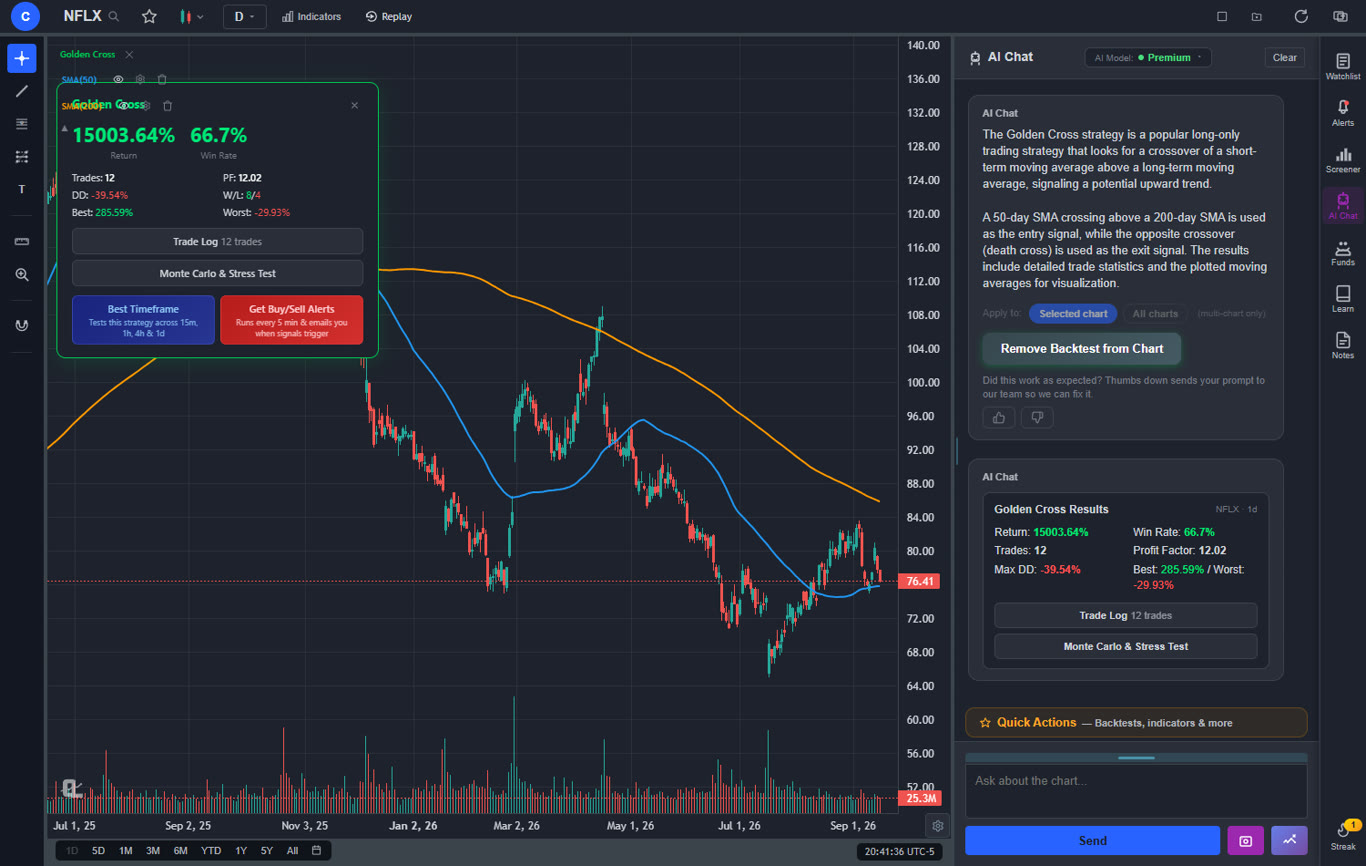
The ChartingLens AI Strategy Backtester removes the coding barrier entirely: describe your strategy in plain English (for example, "buy when the 50-day crosses above the 200-day and sell at a 10% gain") and the institutional-grade backtesting engine runs it against historical data and reports the results. Combined with the institutional-grade strategy builder, it is the fastest path from idea to validated ruleset, which you can then practice in Bar Replay before going live. Best for traders who want serious backtesting without writing a line of code.
Free vs paid backtesting tools: If you need a stock backtesting tool free of charge, TradingView's free tier and Thinkorswim's Strategy Tester are your best options. Both let you backtest basic strategies without spending anything. For more advanced needs, code-based platforms like QuantConnect offer generous free tiers, while visual tools like TrendSpider and AmiBroker require a paid subscription or license. Once your backtest looks promising, cross-reference it with ChartingLens AI signals to see whether the AI agrees with your strategy's current trade setups, then pressure-test the rules yourself in Bar Replay.
Market Replay Software
Market replay software lets you replay historical trading sessions as if they were happening in real time. Instead of watching live markets, you load a specific date, like a volatile earnings day or a major market crash, and the price data replays tick by tick or bar by bar at your chosen speed. You can pause, rewind, fast-forward, and practice placing trades as the historical price action unfolds. It is essentially a time machine for the stock market.
Market replay is particularly valuable for day traders and scalpers. Markets are only open for a limited number of hours each day, which limits the amount of live practice you can get. Market replay software removes this constraint: you can practice on historical sessions any time of day, any day of the week. You can also target specific market conditions, such as high-volatility days, trend days, or range-bound sessions, to build experience in the exact environments you struggle with.
Best Market Replay Tools
NinjaTrader Market Replay
NinjaTrader offers one of the most robust market replay features available. It includes tick-by-tick replay with depth-of-market (DOM) data, which is critical for futures and order flow traders. The free version of NinjaTrader supports market replay for basic practice. The paid version adds advanced order flow tools. Best market replay software for futures day traders who use depth-of-market analysis.
TradingView Replay
TradingView's replay feature is the most accessible market replay tool for stock traders. You can load any historical date on any chart and replay price action bar by bar on your chosen timeframe. It is integrated directly into the charting interface and available on the free tier. It does not include DOM or tick data, but for candlestick-based replay practice, it is the easiest tool to start with.
Jigsaw Daytradr
Jigsaw Daytradr is specialized market replay software built for order flow traders. It replays historical sessions with full depth-of-market data, cumulative delta, volume profile, and reconstructed order flow. This is the closest you can get to replaying the actual tape. Pricing starts at around $30 per month. Best for advanced day traders who trade based on order flow and market microstructure.
ChartingLens Bar Replay & Paper Trading
ChartingLens Bar Replay is the only replay tool here that combines replay with full order simulation and blind practice. Its RANDOM DATE mode drops you at an unknown point in history with future candles hidden, so you cannot cheat by knowing what comes next. You place simulated buy/sell orders with stop losses and take profits drawn as dashed levels (with intrabar fill detection), and every session ends with a P&L stats summary. Works on any symbol and timeframe, included with Premium at $14.99/month, cheaper than Jigsaw. Best for traders who want honest replay practice with real trade mechanics, not just watching candles.
If you use another market replay tool to practice, it is still worth running the same ticker through ChartingLens to see what the AI signals would have been on that date. This gives you an additional reference point for evaluating your replay trades against what an AI model would have flagged.
How to Use Paper Trading Effectively
Having access to the best paper trading platform is only useful if you use it correctly. Many traders treat paper trading as a game, which prevents them from developing the habits and discipline needed for live trading. Here are seven tips to get the most out of your paper trading simulator experience.
1. Treat It Like Real Money
The biggest mistake paper traders make is taking trades they would never take with real money. If you would not risk $5,000 on a random penny stock in a live account, do not do it in the simulator either. The entire point of paper trading is to build habits you will carry into live trading. If your simulated behavior does not match your intended real behavior, the practice is wasted.
2. Use Realistic Position Sizes
Most stock market simulators start you with $100,000 to $1,000,000 in virtual money, which is likely far more than your actual trading account. Scale your position sizes to match the capital you plan to trade with in real life. If your real account will have $10,000, trade as if your paper account has $10,000. This forces you to make realistic decisions about risk management and position sizing.
3. Track Your Performance Religiously
Keep a detailed trading journal alongside your simulator. Record every trade: the ticker, entry price, exit price, position size, your reason for entering, and how you felt during the trade. Most paper trading platforms provide basic P&L tracking, but a personal journal captures the qualitative information that raw numbers miss. Review your journal weekly to identify patterns in your wins and losses. ChartingLens has this built in: the Notes panel sits beside the chart, tags every note with the symbol you were looking at, and ships with a trade-review template you can edit.
4. Practice Specific Strategies, Not Random Trades
Define a specific strategy with clear entry and exit rules before you start paper trading. Then use the simulator exclusively to test that strategy. Random trading in a simulator teaches you nothing. A focused approach, such as "I will only trade breakouts above the 50-day moving average with above-average volume," gives you actionable data about whether your strategy works.
5. Set Time Limits for Your Paper Trading Phase
Paper trading is a means to an end, not the end itself. Set a specific goal, such as "I will paper trade this strategy for 3 months or 100 trades, whichever comes first, then evaluate." Without a deadline, it is easy to paper trade indefinitely and never take the step to live trading. The goal is proficiency, not perfection.
6. Graduate to Small Real Positions
When your paper trading results show consistent profitability over a meaningful sample size (at least 50 to 100 trades), transition to live trading with very small positions. Start with 1/10th to 1/4 of your planned position size. This bridges the gap between simulation and reality by introducing real emotions and real stakes at a manageable level. Scale up only after demonstrating consistent results at the smaller size.
7. Avoid Common Paper Trading Mistakes
Be aware of these common pitfalls: ignoring commissions and fees (factor them into your results), assuming perfect fills (real orders face slippage), overtrading because there is no real consequence, not accounting for position sizing relative to your real capital, and quitting too soon because early losses feel discouraging. Paper trading is a training process, not a performance audition.
Paper Trading vs Real Trading
Paper trading is an essential step in every trader's development, but it is important to understand how it differs from real trading. These differences do not invalidate paper trading; they simply mean you should be aware of the gaps so you can prepare for them when you go live.
Psychology is the biggest difference. When your simulated account drops $2,000, you might feel a twinge of disappointment, but it does not trigger the visceral fear and panic that losing real money does. Conversely, a winning streak in a paper trading simulator can create overconfidence. The emotional intensity of real trading is something no stock market simulator can fully replicate. This is why gradual position sizing when transitioning is so critical.
Slippage and execution quality differ. In a paper trading simulator, your orders typically get filled instantly at the displayed price. In real markets, especially for less liquid stocks or during fast-moving sessions, you may experience slippage (getting filled at a worse price than expected), partial fills (only part of your order executes), and wider bid-ask spreads. If your strategy depends on precise entry prices, your real results will typically be slightly worse than your simulated results.
Market impact does not exist in simulation. If you place a large order in a simulator, it fills without moving the price. In reality, large orders can move the market against you. This is less of a concern for retail traders with small accounts but becomes significant as position sizes grow.
When to transition from paper to real trading: The right time to move to real money is when you have (1) a clearly defined strategy with specific rules, (2) a paper trading track record of at least 50 to 100 trades showing consistent profitability, (3) confidence in your risk management plan, and (4) capital that you can afford to lose. Start small, scale gradually, and expect your real results to be somewhat worse than your simulated results until you adapt to the psychological pressures of live trading.
Frequently Asked Questions
Thinkorswim paperMoney is widely considered the best free stock market simulator because it provides real-time data, realistic order execution, and the full suite of Thinkorswim charting tools at no cost (you just need a free Schwab account). For a mobile-first experience, Webull's paper trading simulator is also excellent and completely free. Investopedia's Stock Simulator is the best choice for absolute beginners who want a simplified, educational introduction to simulated trading.
No. Paper trading simulates the mechanics of placing trades, but it differs from real trading in several important ways. There is no real money at risk, which eliminates the psychological pressure that affects decision-making. Paper trades typically get instant fills at the displayed price, while real orders face slippage, partial fills, and variable spreads. Paper trading is an essential learning tool, but it cannot fully replicate the emotional and execution challenges of live trading.
The best backtesting software depends on your technical skill level. TradingView with Pine Script is the most popular option for retail traders because of its visual interface and large community. QuantConnect is best for algorithmic traders who want to code strategies in Python or C#. TrendSpider offers AI-powered backtesting with a no-code approach. For a free stock backtesting tool, TradingView's free tier and Thinkorswim's Strategy Tester both allow basic backtesting at no cost. If you do not want to write code at all, ChartingLens includes an institutional-grade backtesting engine that lets you describe a strategy in plain English and backtest it instantly.
Most trading educators recommend paper trading for at least 3 to 6 months before transitioning to real money. The key benchmark is not time but consistency: you should be able to demonstrate a profitable track record over at least 100 simulated trades, following your strategy rules consistently. Once you transition, start with very small position sizes (1/10th to 1/4 of your planned size) to adjust to the psychological differences of real trading.
Yes. Day trading simulators let you practice buying and selling stocks within the same trading day using virtual money. Thinkorswim paperMoney, TradingView paper trading, and Webull's simulator all support day trading practice with real-time data. The advantage of a day trading simulator is that you can learn fast-paced strategies like scalping and momentum trading without risking real capital or worrying about the PDT (Pattern Day Trader) rule.
Yes. TradingView offers a built-in market replay feature on its free tier that lets you replay historical price action bar by bar. It is the most accessible free market replay tool available. NinjaTrader also offers market replay functionality on its free platform, though it requires a desktop installation. For replay combined with order simulation, ChartingLens Bar Replay & Paper Trading (Premium, $14.99/month) hides future candles, includes a Random Date mode for blind practice, and lets you place simulated buy/sell orders with stop losses and take profits as the replay unfolds. For advanced market replay with depth-of-market data, paid tools like Jigsaw Daytradr are the gold standard but start at around $30 per month.
Conclusion
The best stock market simulator for you depends on your experience level, trading style, and what you want to practice. For the most comprehensive, realistic simulation experience, Thinkorswim paperMoney remains the best trading simulator in 2026, offering full-featured paper trading with real-time data at no cost. TradingView is the strongest option for traders who want paper trading, backtesting, and market replay in one chart-centric platform. Webull wins for mobile paper trading. Investopedia and Wall Street Survivor are best for beginners who are just starting to learn. TradeStation and moomoo round out the field with strong offerings for advanced and mobile traders respectively.
And if what you really want is honest practice, ChartingLens offers the one thing no forward-looking paper account can: Bar Replay & Paper Trading with a Random Date mode that hides the future so you cannot peek at what happens next. Validate your rules first with the plain-English, institutional-grade backtesting engine, then trade random slices of history candle by candle with real stops, targets, and a post-session stats report, compressing months of screen time into an afternoon. Pair that with its AI buy/sell signals, a large indicator library, and insider trading data, and ChartingLens covers both the analysis and the practice side of your training.
Remember: the purpose of paper trading is not to produce a perfect track record. It is to build the skills, habits, and discipline you need to trade with real money successfully. Treat your paper trading simulator seriously, follow a defined strategy, track your results, and graduate to live trading only when your data tells you that you are ready.
Start with the free interactive courses, then practice on graded real-chart setups and replay any past session candle by candle with real stops, targets and P&L. Free to start.