10 Best MetaTrader Alternatives in 2026 (Free & Paid)
By ChartingLens TeamUpdated May 8, 202620 min read
📅 May 2026 Update
ChartingLens just launched a new tier structure — Premium at $14.99/mo with sensible quotas (20 alerts, 10 layouts, 20 AI credits/day) and Pro at $29.99/mo with unlimited everything. The Free tier is unchanged: real-time stocks, crypto, forex & metals, all chart types, all drawing tools, cloud sync, and insider data. Yearly plans save 17%. Compare all plans →
MetaTrader 4 and MetaTrader 5 have dominated retail forex and CFD trading for over a decade. MT4 launched in 2005 and MT5 followed in 2010. Both platforms built massive ecosystems of brokers, Expert Advisors, and custom indicators through the MQL scripting language. But in 2026, a growing number of traders are actively searching for the best MetaTrader alternative — and for good reason.
The most fundamental problem is that MetaTrader's desktop interface has barely evolved. The charting engine, the indicator overlays, and the workspace layout all feel like they belong to a different era. The web versions offered by most brokers are stripped-down afterthoughts that lack the functionality of the desktop client. The mobile apps are similarly limited. In a world where traders expect to analyze and execute from any device, MetaTrader's desktop-first architecture is a liability.
Then there are the broker restrictions. Unlike independent platforms, MetaTrader is provided through your broker. Your broker controls your data feed, your execution speed, and your spread. This creates a fundamental conflict of interest — your broker profits when you lose. Many MT4/MT5 brokers operate dealing desk models where they take the other side of your trade. Independent charting platforms eliminate this conflict entirely.
MetaTrader is also largely limited to forex and CFDs. While MT5 added stock trading capabilities in theory, very few brokers actually offer direct stock market access through the platform. If you want to trade US equities, crypto, or diversify beyond forex, you are essentially locked out. The MQL scripting language — while powerful — has a steep learning curve that discourages most traders from building custom indicators or Expert Advisors. And perhaps most critically, MetaTrader has zero AI features. No AI signals, no AI assistant, no automated pattern recognition. The platform is stuck in 2010 while the industry has moved on.
This guide reviews 10 platforms that serve as genuine MetaTrader alternatives in 2026. Whether you are tired of the dated interface, frustrated with broker conflicts, or ready for AI-powered analysis, you will find the right replacement here.
Quick Comparison: All 10 MetaTrader Alternatives
Here is how all 10 platforms compare across the features that matter most when replacing MetaTrader.
Scroll horizontally to see all columns →
Platform
Free Tier
Web-Based
AI Features
Scripting
Asset Classes
Premium Cost
ChartingLens
✓ Full features
✓ Browser-based
✓ AI signals, assistant, patterns
Plain English, Pine/ThinkScript paste
Stocks, Crypto
$14.99/mo
TradingView
Limited (1 indicator)
✓
✗
Pine Script
Stocks, Crypto, Forex, Futures
$14.95–$59.95/mo
cTrader
✓ Via broker
✓ Web + Desktop
✗
cAlgo (C#)
Forex, CFDs, Stocks (select)
Free via broker
NinjaTrader
✓ Sim trading
✗ Desktop only
✗
NinjaScript (C#)
Futures, Forex
$0–$1,099 lifetime
Thinkorswim
✓ With Schwab
Limited web version
✗
thinkScript
Stocks, Options, Futures, Forex
Free with account
TradeStation
With account
✓ Web + Desktop
✗
EasyLanguage
Stocks, Options, Futures, Crypto
$0–$99/mo
TrendSpider
✗
✓
✓ Auto trendlines
✗
Stocks, Crypto, Forex, Futures
$22–$79/mo
Webull
✓ With trading
✓ Web + Mobile
✗
✗
Stocks, Options, Crypto
Free
eToro
✓ With deposit
✓
✗
✗
Stocks, Crypto, Forex, ETFs
Free (spreads apply)
Moomoo
✓ With trading
✓ Web + Mobile
✗
✗
Stocks, Options, ETFs
Free
In-Depth Reviews of All 10 MetaTrader Alternatives
1. ChartingLens — Best Web-Based MetaTrader Alternative
ChartingLensFree + $14.99/mo Premium
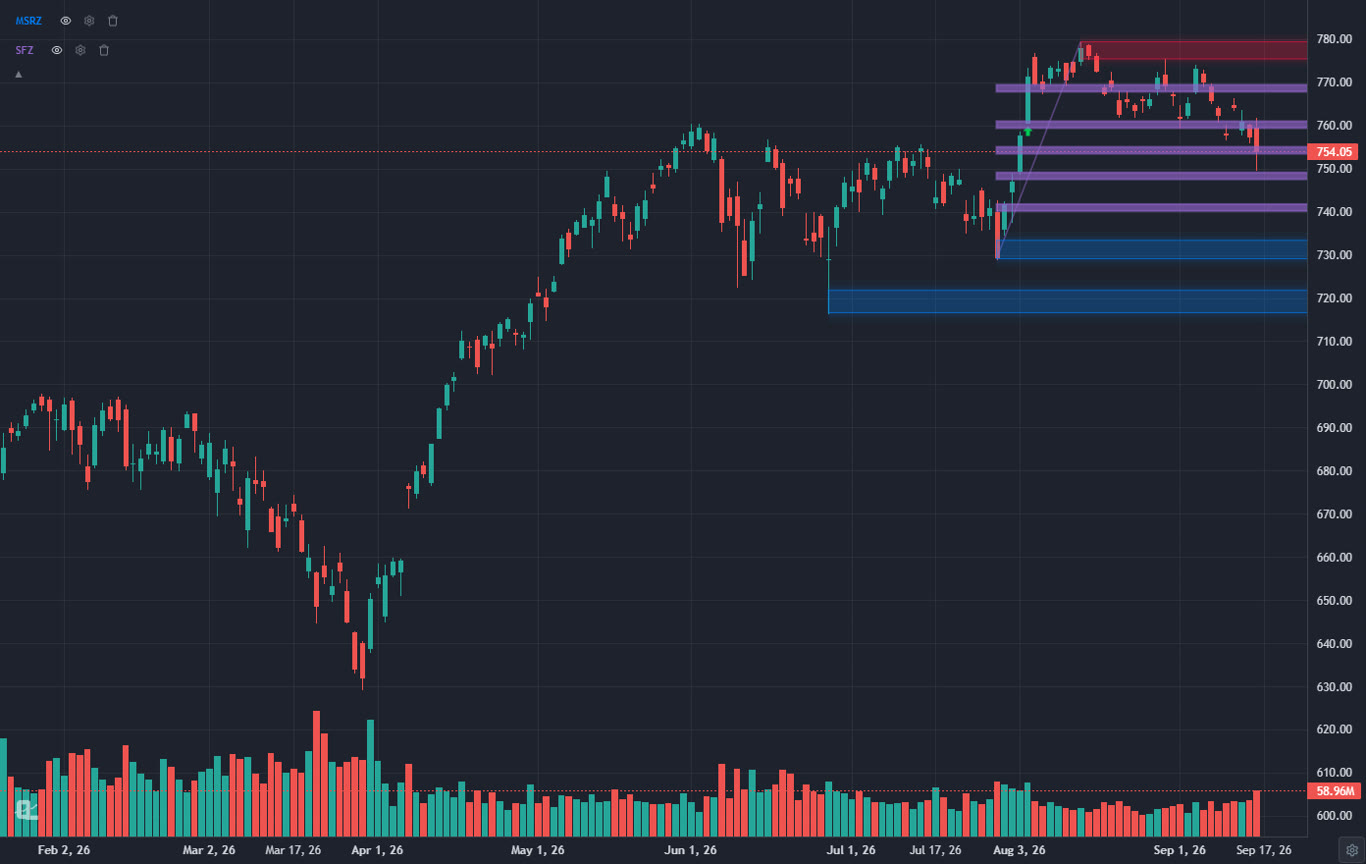
ChartingLens is the strongest MetaTrader alternative for traders who want a modern, browser-based platform with AI-powered analysis. Where MetaTrader requires a desktop download and ties you to a specific broker's data feed, ChartingLens runs entirely in your browser with zero installation. It works on any device — desktop, laptop, tablet, or phone — with the same full feature set. No broker dependency, no conflicts of interest, no MQL scripting required.
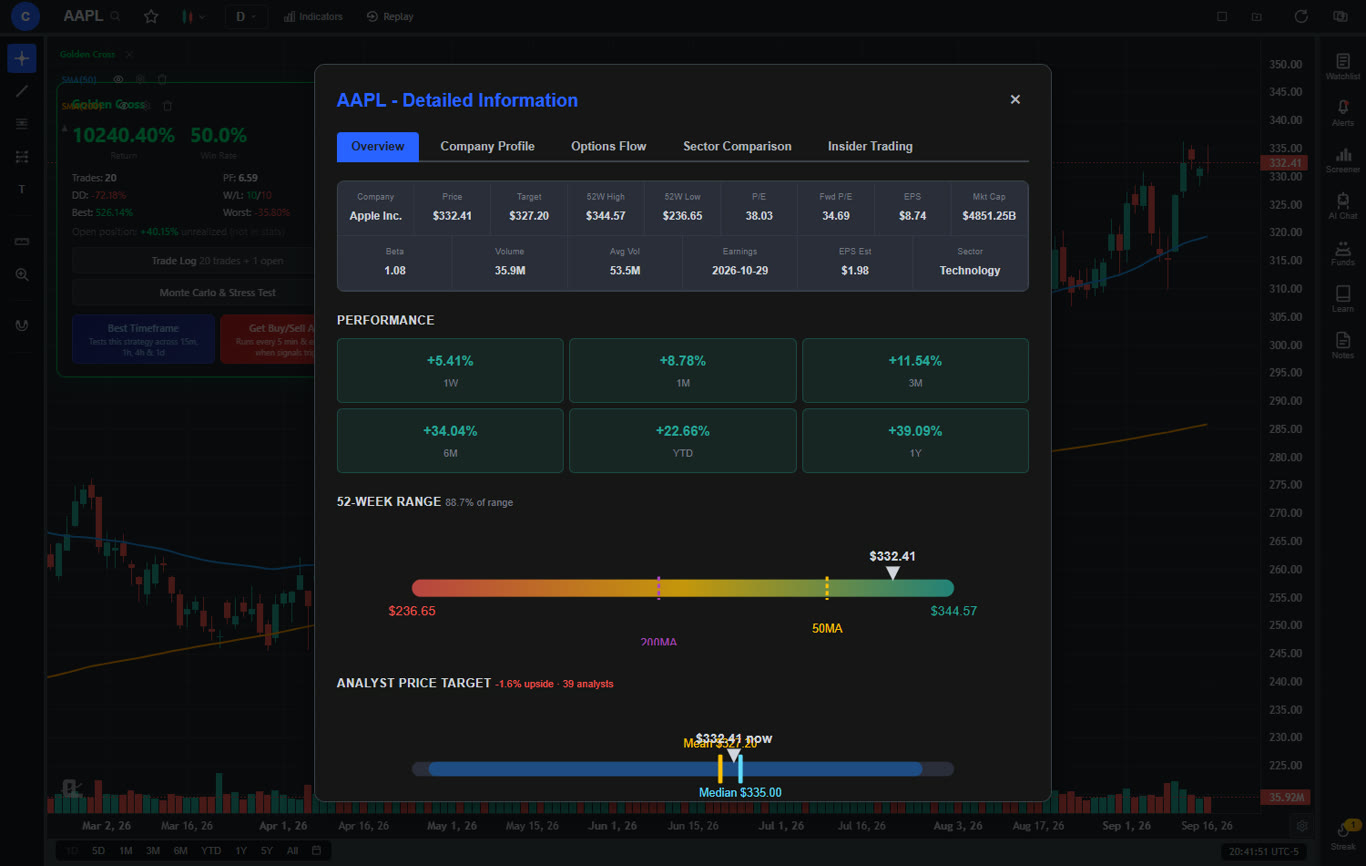
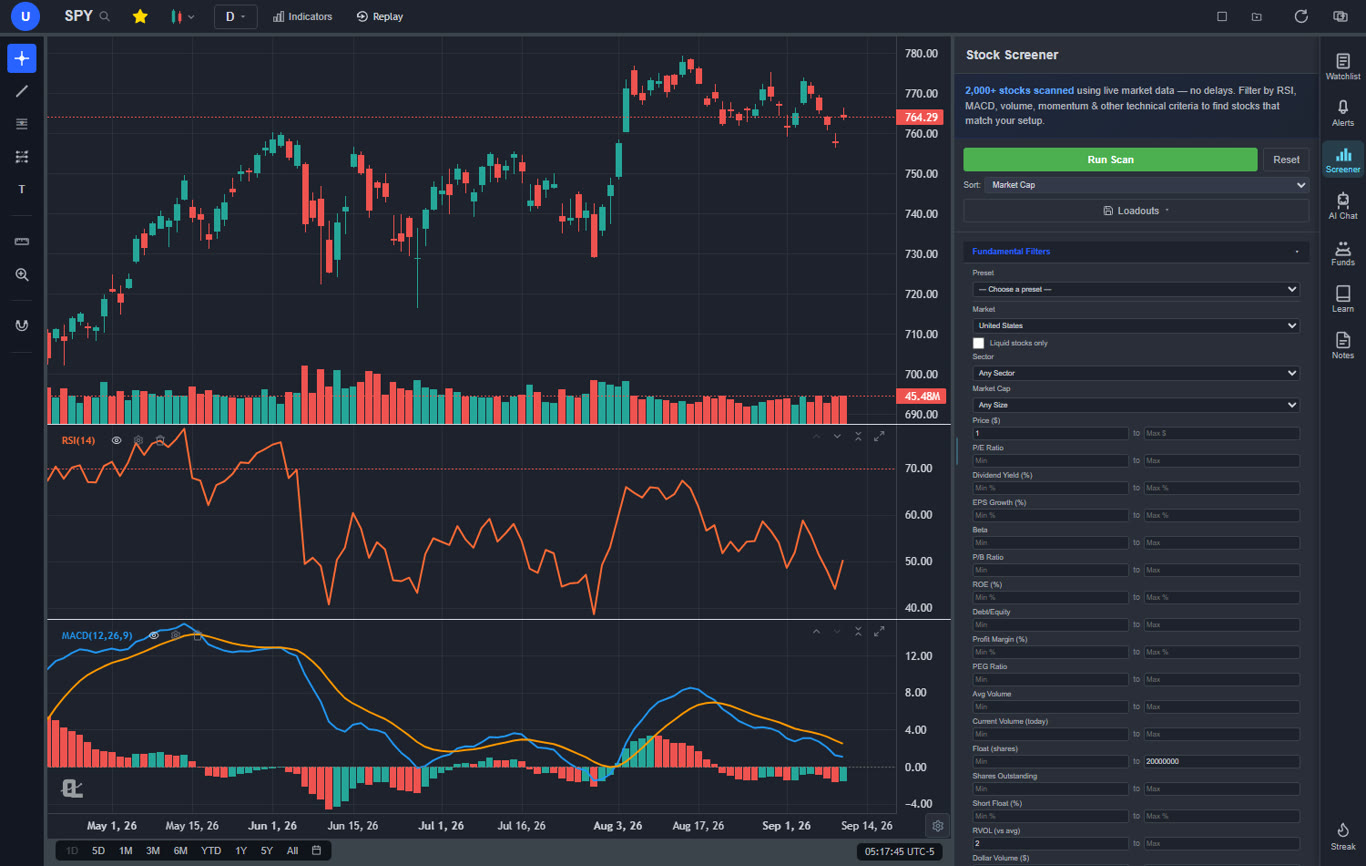
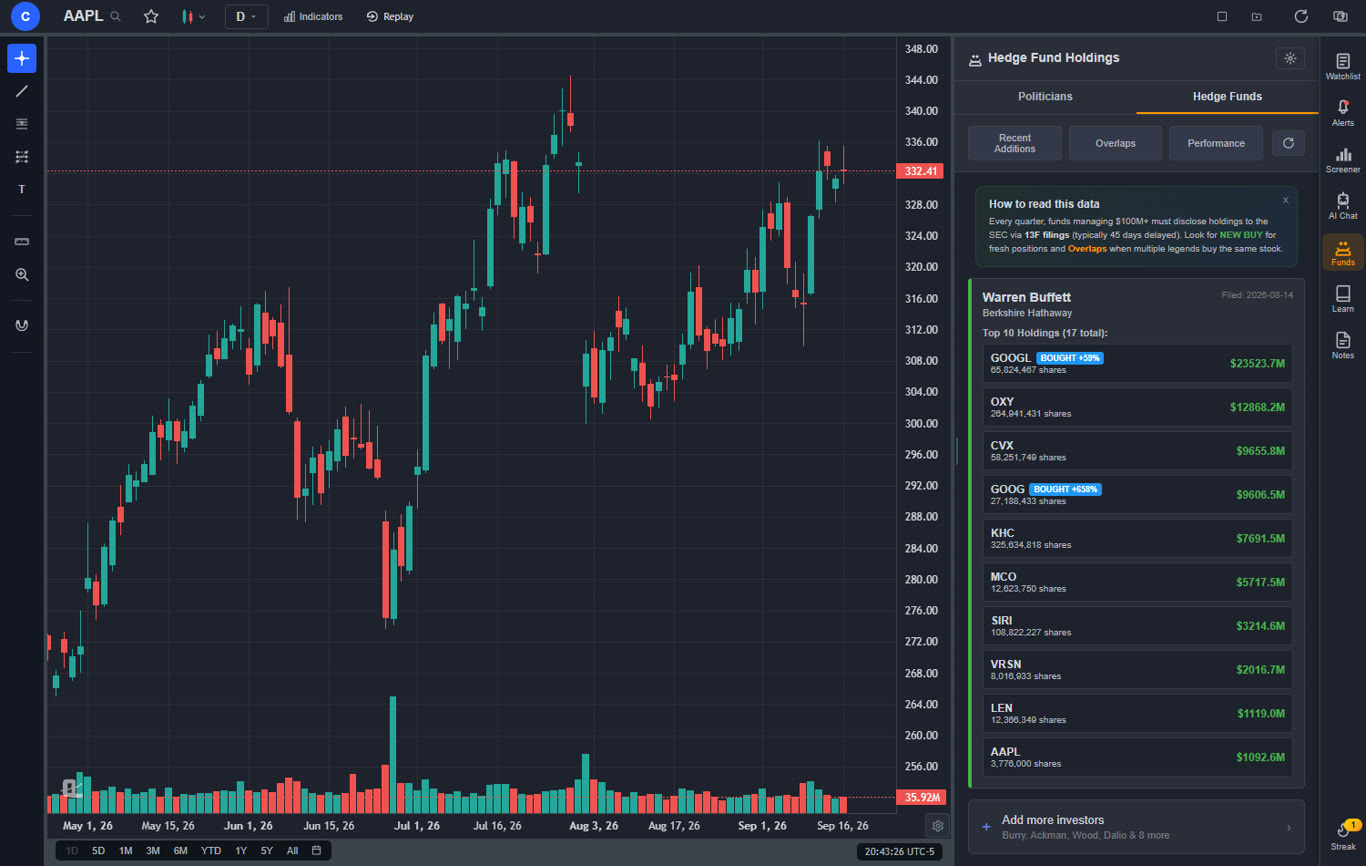
The free tier alone delivers more functionality than many paid platforms. You get a large technical indicator library with no per-chart limit, real-time stock and crypto charts, AI buy/sell signals scanning 2,000+ stocks daily, an AI trading assistant that draws support and resistance levels directly on your chart, automated chart pattern recognition for 13+ patterns including head and shoulders, double tops, wedges, and flags. Add in a plain-English strategy backtester that lets you backtest a trading strategy without writing code, insider trading data, hedge fund holdings (Warren Buffett, Michael Burry, and more), a stock screener with CL Score ranking, bar replay with paper trading and live P&L tracking, multi-chart layouts, and zero ads on any tier.
Premium at $14.99 per month adds Volume Profile (VRVP) with auto-updating Point of Control and Value Area lines, unlimited custom backtesting strategies with shorting and time filters, expanded AI analysis, trendline alerts, and extended historical data. For context, TradingView charges $29.95+ per month for Volume Profile, and MetaTrader does not offer Volume Profile natively at all.
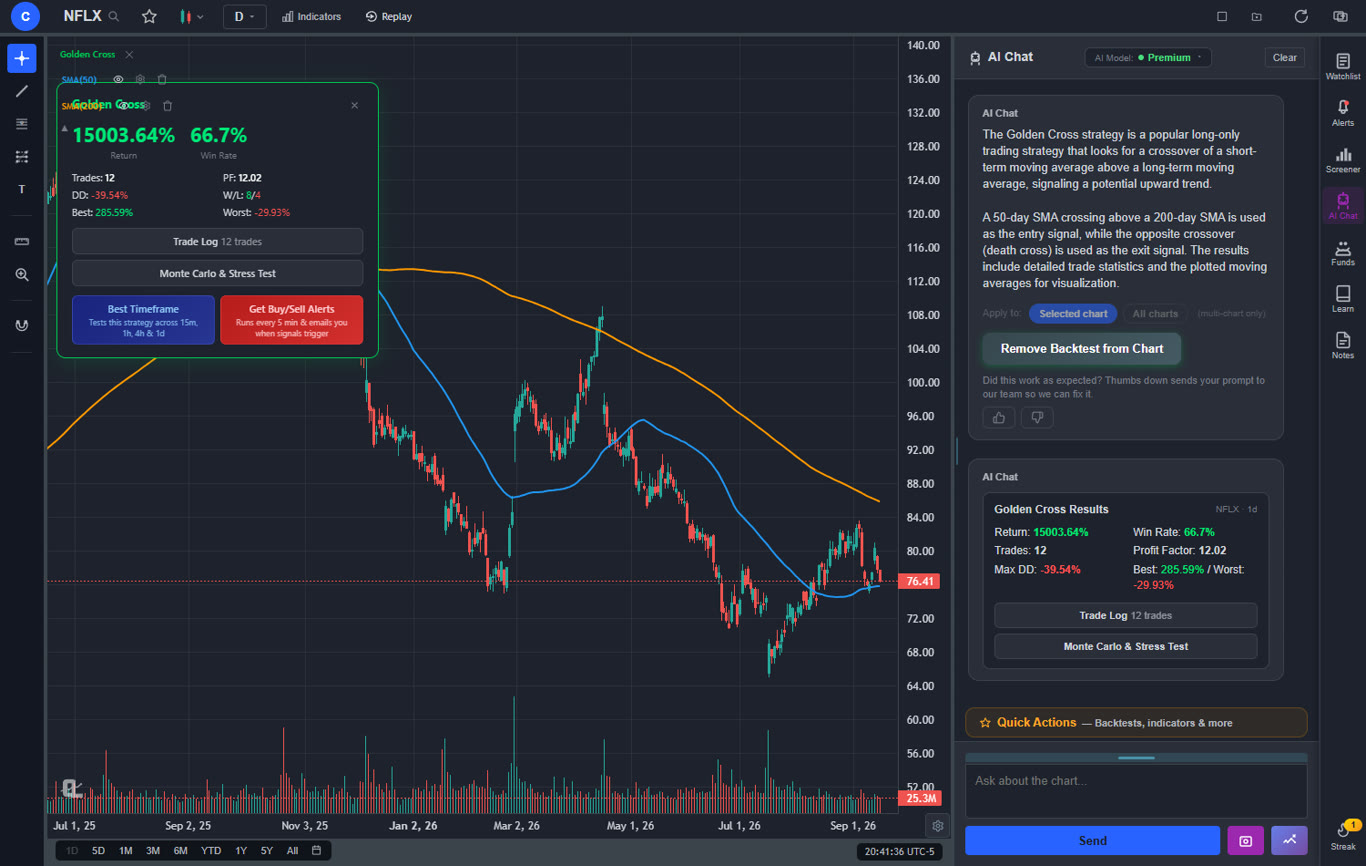
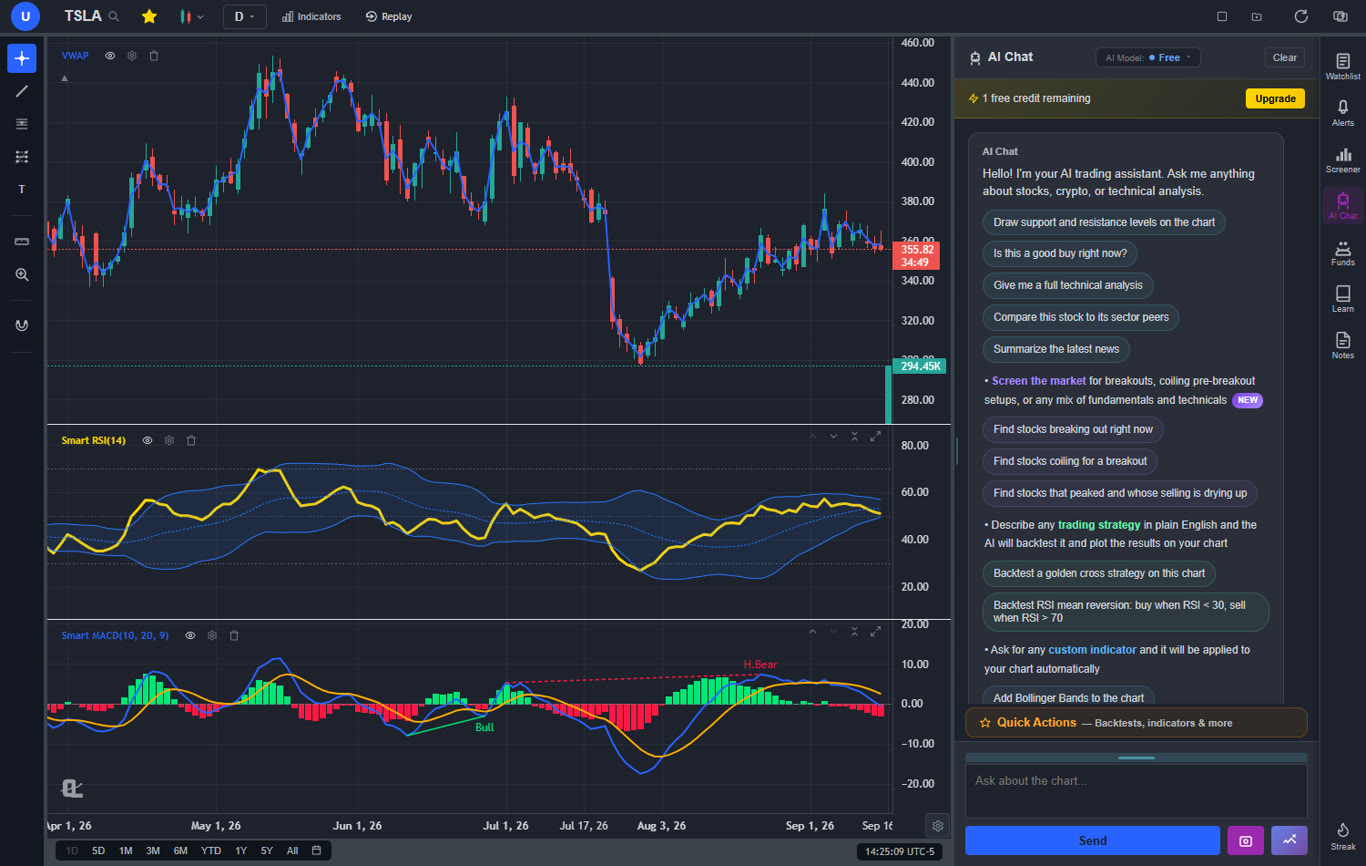
The AI capabilities are the biggest differentiator from MetaTrader. Instead of spending weeks learning MQL4 or MQL5 to code an Expert Advisor, you describe your strategy in plain English and the AI builds and backtests it. Instead of manually drawing trendlines and support/resistance, the AI assistant does it for you and explains its reasoning. AI-generated custom indicators mean you can ask for any indicator and apply it to your chart instantly — no coding whatsoever. This is the future of trading analysis, and MetaTrader is not part of it.
Pros
Large built-in indicator library, free, unlimited per chart
AI buy/sell signals scanning 2,000+ stocks daily
AI trading assistant draws S&R on your chart
Plain-English strategy backtester (no MQL needed)
AI-generated custom indicators via natural language
Volume Profile (VRVP) on Premium at $14.99/mo
Auto chart pattern recognition (13+ patterns)
Real-time insider trading data
Hedge Fund Holdings
Bar replay with paper trading and live P&L
Multi-chart layouts (up to 3 charts, 8 arrangements)
Stock screener with CL Score ranking
Web-based — no download, works on any device
No broker dependency or conflicts of interest
No ads on any tier
Custom timeframes (NEW) — chart any interval (2h, 45m, 3d, 8h…) aggregated from base bars on the fly. Premium feature, added April 2026.
Pine Script and ThinkScript conversion - paste a TradingView indicator or a thinkorswim study and it becomes a live native indicator on your chart (Premium)
Stocks, ETFs, crypto, forex, metals, and index and commodity CFDs (US30, US500, NAS100, oil, gold) in one search bar
25 daily AI buy signals with a public, forward-tested track record and a trade plan (entry, stop, target) on every signal
Backtests include a Monte Carlo stress test and intrabar exits, built from a plain-English strategy description
Free interactive courses drawn on real charts, plus a notes and journal panel
Cons
No direct broker execution or order routing
No Expert Advisors or MQL scripting
Best for: Traders who want a modern, browser-based platform with AI-powered signals, pattern recognition, insider data, and backtesting — all without the desktop downloads, broker conflicts, or MQL scripting requirements of MetaTrader.
2. TradingView — Best for Multi-Asset Charting
TradingView$0–$59.95/mo
TradingView is the most popular web-based charting platform globally and is the go-to alternative for MetaTrader users who want Pine Script as a replacement for MQL. Pine Script is significantly easier to learn than MQL4 or MQL5, and TradingView's community has built thousands of free indicators and strategies you can apply with one click. The multi-asset coverage is excellent — stocks, crypto, forex, and futures are all supported with real-time data from multiple exchanges.
For MetaTrader migrants, the transition to TradingView's charting is natural (see our full list of best TradingView alternatives if you are also comparing options there). The interface is modern and responsive, drawing tools are extensive, and the alert system is robust. The social features — where traders share ideas and analysis publicly — add a dimension that MetaTrader completely lacks. However, the free tier is heavily restricted: 1 indicator per chart, 1 alert total, and persistent ads. Most traders will need at least the Plus plan at $29.95 per month.
The biggest gap compared to ChartingLens is the complete absence of AI features. TradingView has no AI buy/sell signals, no AI trading assistant, and no automated pattern recognition at any price tier. You also will not find insider trading data or hedge fund holdings.
Pros
Pine Script replaces MQL (easier to learn)
Largest trading community with social features
400+ built-in indicators
Multi-asset: stocks, crypto, forex, futures
Clean, modern web interface
Paper trading built in
Cons
Free tier limited to 1 indicator per chart
Expensive: $29.95+/mo for serious use
No AI buy/sell signals or AI assistant
No insider trading data or hedge fund holdings
No auto pattern recognition
Ads on free tier
Best for: MetaTrader users who want Pine Script as an MQL replacement and value a large community with social trading ideas across multiple asset classes.
3. cTrader — Best Direct MT4/MT5 Replacement
cTraderFree via brokers
cTrader is the closest direct replacement for MetaTrader in terms of platform architecture. Like MT4/MT5, it is provided through participating brokers and supports forex and CFD trading with integrated execution. But where MetaTrader feels stuck in the past, cTrader offers a genuinely modern interface with cleaner charting, faster order execution, and transparent Level II pricing. The platform supports true ECN execution, which addresses one of the biggest complaints about MetaTrader brokers — dealing desk conflicts of interest.
For traders who rely on automated trading, cTrader's cAlgo system uses C# instead of MQL. If you already know C# or any C-family language, the transition is straightforward. cAlgo bots can execute the same types of automated strategies as Expert Advisors. The platform also offers cTrader Copy for social trading, a built-in backtester, and depth of market visualization. The web version is functional and the mobile app is well-designed — both significant improvements over MetaTrader's web and mobile offerings.
The limitation is that cTrader is still broker-dependent. You need a participating broker to access the platform, and your broker still controls your data feed and spreads. The asset coverage is primarily forex and CFDs, though some brokers offer stocks. There are no AI features, no insider data, and no stock screening capabilities.
Pros
Modern UI — major upgrade from MetaTrader's interface
True ECN execution with Level II pricing
cAlgo automated trading (C#-based)
cTrader Copy for social/copy trading
Solid web and mobile versions
Built-in backtester
Cons
Still broker-dependent (same structural issue as MT4/MT5)
Smaller broker network than MetaTrader
No AI features
Limited stock coverage
MQL Expert Advisors do not transfer to cAlgo
No insider data or hedge fund holdings
Best for: Forex and CFD traders who want the same broker-integrated execution model as MetaTrader but with a modern interface, true ECN execution, and C#-based automation.
4. NinjaTrader — Best for Futures Traders
NinjaTraderFree sim / $1,099 lifetime
NinjaTrader is the premier platform for futures traders, and for MetaTrader users who primarily traded forex futures or index futures through MT5, it represents a significant upgrade. The order flow tools are best-in-class — volumetric bars, depth of market visualization, heat maps, and advanced order types that MetaTrader simply does not offer. The market replay system allows you to practice on historical data with realistic execution simulation.
NinjaScript, based on C#, is more powerful than MQL for building automated strategies with access to order flow data. The lifetime license at $1,099 eliminates recurring fees, which appeals to traders tired of paying monthly subscriptions. The free tier includes simulated trading with delayed data, so you can evaluate the platform thoroughly before committing.
NinjaTrader is desktop-only and primarily focused on futures. If you need stock charting, web access, or AI analysis, this is not the right fit. But for futures depth and order flow, nothing in the MetaTrader ecosystem comes close.
Pros
Best-in-class futures trading and order flow tools
Advanced depth of market visualization
NinjaScript automation (C#-based, more powerful than MQL)
Lifetime license option ($1,099, no recurring fees)
Free simulated trading
Sophisticated market replay
Cons
Desktop-only — no web or mobile version
Primarily futures-focused
Steep learning curve
No AI features
Limited stock and options capabilities
MQL Expert Advisors do not transfer
Best for: Futures traders who need advanced order flow tools, depth of market visualization, and NinjaScript automation that goes beyond what MetaTrader offers.
5. Thinkorswim — Best US Broker Alternative
Thinkorswim (Schwab)Free with Schwab account
Thinkorswim is a compelling MetaTrader alternative for traders in the United States who want a full-featured desktop platform with integrated brokerage. Where MetaTrader ties you to forex/CFD brokers with potential conflicts of interest, thinkorswim is backed by Charles Schwab — a major US brokerage with SEC regulation and SIPC protection. You get access to stocks, options, futures, and forex from a single platform with thinkScript for custom indicator development.
ThinkScript serves a similar role to MQL — it lets you build custom indicators, scanners, and automated alerts. Studies you write in it are also portable now: ChartingLens converts pasted ThinkScript by rules, minus the proprietary studies and anything that needs options data. The options chain and options analytics are far superior to anything available on MetaTrader. The paper trading mode, called paperMoney, provides a realistic simulation environment. For US-based traders who were using MetaTrader primarily for forex and want to expand into stocks and options, thinkorswim is a natural upgrade.
The downsides mirror MetaTrader in some ways: it is desktop-heavy, the web version is stripped down, and there are no AI features. You also need a Schwab brokerage account to access the platform, and the Schwab acquisition of TD Ameritrade has created migration friction for existing users.
Pros
Free with Schwab account — no platform fees
thinkScript replaces MQL for custom studies
Stocks, options, futures, and forex in one platform
Best-in-class options chain and analytics
US-regulated broker (SEC, SIPC protection)
paperMoney simulation trading
Cons
Requires Schwab brokerage account
Desktop-heavy — web version is limited
No AI features
Schwab migration has caused workflow disruptions
Interface feels dated compared to modern web platforms
US-only availability
Best for: US-based traders who want a regulated broker with integrated execution for stocks, options, futures, and forex, with thinkScript as an MQL replacement.
6. TradeStation — Best for Active Traders
TradeStation$0–$99/mo
TradeStation is designed for active traders who code strategies and need professional-grade execution. Its EasyLanguage scripting is arguably the most mature trading language available — it predates both MQL and thinkScript and has a deep library of community strategies. For MetaTrader users who are comfortable with MQL and want a more powerful scripting environment, EasyLanguage is a natural step up.
The platform supports stocks, options, futures, and crypto with integrated execution. The backtesting engine is comprehensive, supporting walk-forward optimization and Monte Carlo simulation — features that are either missing or rudimentary in MetaTrader. The web platform has improved significantly and now offers most desktop features. The $99 per month platform fee is waived for traders who meet activity thresholds.
TradeStation's learning curve is steep, and the interface, while functional, lacks the polish of modern web-native platforms. There are no AI features, no insider data, and the platform is primarily available to US traders.
Pros
EasyLanguage scripting (more mature than MQL)
Advanced backtesting with walk-forward optimization
Stocks, options, futures, and crypto execution
Professional-grade order routing
Platform fee waived with trading activity
Improved web platform
Cons
$99/mo platform fee without activity waiver
Steep learning curve
Interface lacks modern polish
No AI features
Primarily US-focused
MQL strategies do not transfer to EasyLanguage
Best for: Active traders who code strategies in EasyLanguage and need professional-grade backtesting with integrated execution across stocks, options, futures, and crypto.
7. TrendSpider — Best for AI-Powered Analysis
TrendSpider$22–$79/mo
TrendSpider is a web-based platform built around automated technical analysis. Its headline feature is auto-detected trendlines — the platform scans your chart and draws trendlines, support, and resistance levels automatically. Multi-timeframe analysis overlays let you see daily, weekly, and monthly levels on a single intraday chart. For MetaTrader users who spent hours manually drawing trendlines and switching between timeframes, TrendSpider automates that entire workflow.
The platform also offers smart alerts based on technical conditions, Raindrop charts (a proprietary chart type that combines price and volume), and a backtesting engine for coded strategies. Multi-asset coverage includes stocks, crypto, forex, and futures. The web interface is modern and responsive.
The trade-off is cost. There is no free tier — plans start at $22 per month, and the full Elite plan runs $79 per month. While TrendSpider automates trendline drawing, it does not offer AI buy/sell signals, an AI trading assistant, or insider trading data. ChartingLens offers more comprehensive AI features at a lower price point.
Pros
Automated trendline and S/R detection
Multi-timeframe analysis on one chart
Smart alerts with technical conditions
Raindrop charts (proprietary)
Multi-asset: stocks, crypto, forex, futures
Backtesting engine
Cons
No free tier
$22–$79/mo is expensive for charting
No AI buy/sell signals or AI assistant
No insider data or hedge fund holdings
No custom scripting language
Steep learning curve for automation features
Best for: Technical analysts who want automated trendline detection and multi-timeframe analysis to replace the manual charting workflow of MetaTrader.
8. Webull — Best Mobile Alternative
WebullFree
Webull is the strongest mobile alternative for MetaTrader users who are tired of MT4/MT5's dated mobile apps. The Webull mobile app is polished, fast, and offers commission-free stock and options trading with real-time market data. The charting experience on mobile is significantly better than MetaTrader's mobile offerings, with clean candlestick rendering and intuitive gesture controls.
For MetaTrader users who primarily traded on mobile and want to expand into US stocks, Webull is a natural transition. You get extended hours trading, fractional shares, and a paper trading mode for practice. The web version is also solid for desktop use. However, the analytical depth is limited — around 20 indicators, no custom scripting, no AI features, and no advanced backtesting. Webull is a trading app with basic charting, not a full analytical platform.
Pros
Best-in-class mobile trading experience
Commission-free stock and options trading
Real-time data with no platform fees
Extended hours trading
Fractional shares
Clean web version for desktop
Cons
Limited indicator library (~20 indicators)
No custom scripting or automation
No AI features or advanced analysis
No backtesting
No forex trading
Limited drawing tools
Best for: MetaTrader users who want a polished mobile-first trading experience with commission-free stock and options execution.
9. eToro — Best for Social & Copy Trading
eToroFree (spreads apply)
eToro's CopyTrader feature is the most compelling reason for MetaTrader users to consider this platform. While MetaTrader has MQL-based signal services and copy trading through third-party plugins, eToro has built social and copy trading into the core of the platform. You can browse top-performing traders, see their full trading history and risk metrics, and automatically mirror their trades with one click. Your allocation scales proportionally, and you can stop copying at any time.
The platform supports stocks, crypto, forex, ETFs, and commodities — broader asset coverage than most MetaTrader brokers offer. The interface is modern and web-native, accessible from any browser. eToro also offers commission-free stock trading in many markets, though spreads on forex and crypto are wider than dedicated forex brokers.
The charting tools are basic — this is not a platform for deep technical analysis. There is no custom scripting, no AI features, and the indicator library is limited. eToro is best for traders who want to follow and copy successful traders rather than build their own analytical workflows.
Best for: Traders who want to copy successful traders automatically with eToro's CopyTrader, rather than building their own strategies in MQL.
10. Moomoo — Best for Beginners
MoomooFree
Moomoo is the friendliest MetaTrader alternative for beginners who find MT4/MT5's interface overwhelming. The mobile-first design is intuitive, the learning resources are built into the platform, and the free Level 2 market depth data gives beginners access to professional-grade information without paying extra. Commission-free trading removes another barrier to entry.
The charting tools include around 50 technical indicators, which is more than Webull but far less than MetaTrader's full MQL ecosystem. The interface is clean and modern, with real-time news and alerts built in. Moomoo also offers a paper trading mode for beginners to practice without risking real money. The platform covers US stocks, options, and ETFs.
For experienced MetaTrader users, Moomoo will feel like a step backward in analytical power. There is no scripting, no automated trading, no AI features, and no advanced backtesting. But for traders who are new to the markets or want a simple, modern app that works well on mobile, Moomoo is an excellent starting point.
Pros
Free Level 2 market depth data
Commission-free stock and options trading
Intuitive, beginner-friendly interface
Built-in educational resources
~50 technical indicators
Paper trading for practice
Cons
No custom scripting or automation
No AI features
No advanced backtesting
Limited to US stocks, options, ETFs
No forex trading
Limited drawing tools
Best for: Beginners who find MetaTrader overwhelming and want a clean, modern mobile app with free Level 2 data and educational resources.
The MetaTrader Problem in 2026
MetaTrader's dominance was built on being the default platform that brokers offered to retail forex traders. But "default" does not mean "best." In 2026, the structural problems with MetaTrader have become impossible to ignore:
Dated desktop interface: MT4's interface was designed in 2005. MT5 updated it in 2010 but the core UX has not meaningfully evolved. Modern web platforms offer cleaner, faster, more intuitive experiences that work on any device without installation.
Broker conflicts of interest: Your MetaTrader broker provides the platform, the data feed, and the execution. Many brokers operate dealing desk models where they profit when you lose. Independent platforms like ChartingLens and TradingView remove this conflict entirely.
Limited to forex and CFDs: MT4 is forex/CFD only. MT5 theoretically supports stocks but very few brokers actually offer it. If you want to analyze or trade US equities, you need a different platform.
MQL scripting barrier: Building Expert Advisors and custom indicators requires learning MQL4 or MQL5 — C-family languages with steep learning curves. Most retail traders never successfully build a custom EA. Modern platforms offer plain-English alternatives or visual builders.
No AI features: MetaTrader has no AI buy/sell signals, no AI trading assistant, no automated chart pattern recognition, and no AI-powered backtesting. The platform is entirely manual or code-dependent.
Poor web and mobile experience: MetaTrader's web traders are stripped-down versions provided by individual brokers, with inconsistent quality. The mobile apps are functional but limited compared to modern mobile-first platforms.
The traders who are leaving MetaTrader in 2026 are not just frustrated with one issue — they are recognizing that the entire platform model is outdated. The broker-dependent distribution, the desktop-first architecture, the absence of AI, and the scripting barrier all point to a platform that was built for a different era.
How to Choose the Right MetaTrader Alternative
The right alternative depends on what you used MetaTrader for and what you want going forward. Here is a quick decision framework:
If you want the most features for the least cost: ChartingLens. Its free tier offers more than most paid platforms, and Premium at $14.99/mo includes Volume Profile, AI analysis, and unlimited backtesting — at a fraction of what competitors charge.
If you need a direct MQL replacement: TradingView (Pine Script), TradeStation (EasyLanguage), or cTrader (cAlgo/C#). Each offers a different scripting approach that can replicate MQL functionality.
If you want the closest MT4/MT5 experience: cTrader. Same broker-integrated model with a modern interface and true ECN execution.
If you trade futures: NinjaTrader for the deepest order flow and futures tools available anywhere.
If you want AI-powered analysis: ChartingLens is the clear leader with AI signals, an AI assistant, auto pattern recognition, and plain-English backtesting.
If you want social/copy trading: eToro for CopyTrader, or cTrader for cTrader Copy.
If you want the best mobile experience: Webull or Moomoo for mobile-first trading with clean interfaces.
If you are a beginner leaving MetaTrader: Moomoo for the gentlest learning curve, or ChartingLens for the most comprehensive free features.
What's New for MetaTrader Refugees in May 2026
Forex traders shopping for an MT4/MT5 alternative in 2026 have new reasons to look at ChartingLens. The platform shipped real-time spot forex and metals data on every tier (XAU/USD, XAG/USD, EUR/USD, plus broad pair coverage), restructured pricing into two paid tiers, and added AI tooling that automates the kinds of analysis MetaTrader users typically build through Expert Advisors and custom indicators.
Real-Time Forex & Spot Metals on the Free Tier
ChartingLens now ships real-time forex pairs (40+) and spot metals (XAU/USD, XAG/USD) on the Free tier — no broker account, no MT4/MT5 install, no plugin licensing. The data routes through OANDA's pricing feed and matches MetaTrader's quote depth on majors and crosses. Combined with the existing real-time stocks and crypto, ChartingLens covers every asset class most retail forex traders watch — in one browser tab.
New Pricing: Premium $14.99 · Pro $29.99
The single $14.99 plan split into two tiers. Premium ($14.99/month or $149/year) gives you 20 alerts, 10 layouts, 10 watchlists, 20 AI credits per day, custom timeframes (handy for the 4H + 15M setups forex traders prefer), and unlimited indicators. Pro ($29.99/month or $299/year) lifts every cap to unlimited — the right choice if you run multiple FX pairs simultaneously and want unlimited alerts. Both tiers ship the same complete feature set. Compare plans →
AI Strategy Backtester (the Plain-English Alternative to Expert Advisors)
MetaTrader's strength is MQL4/MQL5 — fully programmable but with a real learning curve. ChartingLens's AI strategy backtester replaces the EA workflow for non-coders: describe a strategy in plain English ("RSI 30 reversal on EUR/USD, 4-hour timeframe, 20-pip stop, 40-pip target") and the AI generates the strategy, runs it on historical bars, and returns full performance stats. Convert any backtest into a live alert and you'll get an email the moment the next signal fires on any FX pair you watch. For traders who never quite mastered MQL, this is the practical replacement.
Which ChartingLens Tier Fits Your MetaTrader Migration?
Best for discretionary forex traders → Premium ($14.99/mo)
If you trade 5–10 pairs based on price action and indicator confluence (no EAs, no automation), Premium is the right fit. Custom timeframes handle the 1H/4H/1D combinations forex traders typically use, the 20-alert cap covers price levels across your active pairs, and the AI Assistant can rank any watchlist by metric (correlation to USD index, recent volatility, etc.) in one prompt.
Best for multi-asset traders (FX + stocks + crypto) → Pro ($29.99/mo)
If you trade across forex, equities, crypto, and metals simultaneously, Pro's unlimited watchlists let you organize by asset class (10 forex pairs, 10 crypto majors, 20 swing-trading stocks, etc.) without hitting the 10-watchlist cap. Multi-window mode pops charts onto a second monitor — the closest equivalent to MetaTrader's MultiTerminal.
Best for prop firm and challenge traders
Prop firm traders running multiple FTMO/MyForexFunds-style challenges need disciplined risk management more than complex automation. ChartingLens's Bar Replay (paper trade against historical price action), strategy backtester (validate your edge before risking firm capital), and trendline-cross alerts (only fire on candle close, no whipsaw on intra-bar wicks) cover the workflow. Premium handles most challenge sizes; Pro is right if you're managing multiple funded accounts.
ChartingLens is the best free MetaTrader alternative in 2026. It offers a large technical indicator library on its free tier with no per-chart limits, AI buy/sell signals for 2,000+ stocks, an AI trading assistant, auto chart pattern recognition, insider trading data, hedge fund holdings, a plain-English strategy backtester, and bar replay with paper trading. Unlike MetaTrader, it runs entirely in your browser with no download required, no broker dependency, and no ads on any tier.
MQL4 and MQL5 Expert Advisors are proprietary to MetaTrader and cannot run natively on any alternative platform. However, the logic behind your EA can be recreated in other languages: Pine Script on TradingView, cAlgo (C#) on cTrader, EasyLanguage on TradeStation, NinjaScript on NinjaTrader, or thinkScript on thinkorswim. ChartingLens takes a different approach — its plain-English AI backtester lets you describe your strategy in natural language and the AI builds and tests it, eliminating the need for any scripting language.
Traders are leaving MetaTrader for several reasons: the desktop interface has not meaningfully evolved since 2005 (MT4) and 2010 (MT5), there is no usable web version, the mobile apps are limited, MQL scripting has a steep learning curve, the platform is largely restricted to forex and CFDs with no direct stock trading, brokers control your data feed and can have conflicts of interest, and there are zero AI features. Modern platforms offer browser-based access, AI-powered analysis, and broader asset coverage.
MetaTrader 5 is technically superior to MT4 with more timeframes (21 vs 9), more order types, an economic calendar, and the ability to trade stocks and futures alongside forex. However, MT4 remains more popular due to its larger library of Expert Advisors and custom indicators. Neither version offers AI features, modern web-based access, or stock charting comparable to platforms like ChartingLens or TradingView. If you are choosing between the two, the better question is whether a modern alternative would serve you better than either version of MetaTrader.
For forex-specific trading with integrated execution, cTrader is the best direct MetaTrader replacement. It offers a modern interface, cAlgo for automated trading, true ECN execution, and Level II pricing. TradingView is another strong option with excellent forex charting and Pine Script. For traders who want to expand beyond forex into stocks and crypto with AI-powered analysis, ChartingLens offers the most comprehensive feature set at the lowest cost, though it does not currently cover forex pairs.
One of the biggest issues with MetaTrader is that your broker provides the platform, the data feed, and the execution — creating potential conflicts of interest. Independent platforms like ChartingLens, TradingView, and TrendSpider are not tied to any broker, so there is no conflict of interest in their data or analysis. cTrader mitigates this with true ECN execution and transparent pricing, though it is still provided through brokers. Thinkorswim and TradeStation are backed by regulated US brokerages with SEC oversight.
Yes — and this is one of the biggest advantages over MetaTrader. MT4 is limited to forex and CFDs, and MT5 offers stocks only through select brokers. Most MetaTrader alternatives provide extensive stock coverage: ChartingLens offers real-time stock and crypto charting with AI analysis, TradingView covers stocks across global exchanges, Webull and Moomoo offer commission-free US stock trading, and thinkorswim and TradeStation provide full stock, options, and futures execution.
Conclusion: The Best MetaTrader Alternative Depends on Your Trading Style
MetaTrader served retail traders well for over a decade, but the platform has not kept pace with what modern traders expect. The dated interface, broker conflicts of interest, MQL scripting barrier, forex-only limitation, and complete absence of AI features all point to a platform that is overdue for replacement. The good news is that the alternatives have never been stronger.
For most traders looking for the most complete alternative, ChartingLens offers the broadest feature set at the lowest cost. Its AI capabilities — buy/sell signals, an AI trading assistant, automated pattern recognition, plain-English backtesting, and AI-generated custom indicators — represent a generational leap beyond what MetaTrader offers. Add Volume Profile, insider trading data, hedge fund holdings, a stock screener, and full browser-based access, and you have a platform that does not just replace MetaTrader — it redefines what a trading platform should be in 2026.
For forex-specific traders who need the closest MetaTrader experience, cTrader provides the modern upgrade. For those who need scripting depth, TradingView's Pine Script or TradeStation's EasyLanguage are strong MQL replacements. And for futures traders, NinjaTrader stands alone.
The best way to decide is to try the platforms that match your trading style. If you want to start with the one that gives you the most out of the box — for free — ChartingLens is the clear first stop.
Get AI signals, strategy backtesting, insider data, hedge fund holdings, Volume Profile, and real-time charts. No download required. No broker account needed. No credit card.